
What Makes JPG to vector logo conversion Ready for Printing, Cutting, and Embroidery
A JPG becomes ready for printing, cutting, and embroidery when it is rebuilt as a clean vector with smooth paths, closed shapes, correct spacing, and simplified detail that survives real production. That is what makes the art scalable, machine-friendly, and easier to convert into a final print, cut, or stitch file.
If your logo needs a production check, vector conversion services can clean up the artwork before it creates costly problems on press, blade, or needle. Upload Your Design and start with a quote if you want a file that is built for real output, not just screen display.
Why a JPG Needs More Than Resizing
JPG files are compressed raster images, so enlarging them usually reveals blur, stair-stepping, and pixel noise. That may be fine on a website, but it becomes a problem when a logo has to print sharply, cut cleanly, or digitize without distortion. Production-ready art needs structure, not just a bigger canvas.
What Clean Vector Artwork Must Contain
A usable vector logo should have smooth curves, balanced corners, closed outlines, and shapes that remain clear at any size. Text, icons, and symbols need consistent spacing and simplified construction. A well-done image to vector conversion online is not a fast trace; it is a cleanup process that removes noise and rebuilds the logo with intent.
Why Printing Depends on Sharp Edges and Solid Color Blocks
Printing works best when the artwork separates into clean color areas without fuzzy edges or accidental gradients. That matters for screen printing, DTF, vinyl transfer, packaging, and promotional products. When the vector art is organized properly, the printer sees clear boundaries, accurate linework, and less risk of color drift or muddy detail.
Why Cutting Requires Closed Paths and Stable Shapes
For vinyl cutting, laser cutting, or plotter work, every path needs to be complete and easy to follow. Open shapes, hidden overlaps, and stray anchor points can make the blade hesitate or lift material at the wrong moment. A reliable raster to vector conversion online gives the cutter a path it can trust instead of a file that only looks good on screen.
Why Embroidery Needs a Different Production Mindset
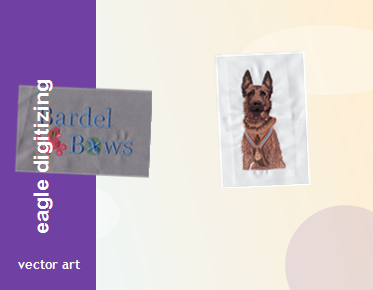
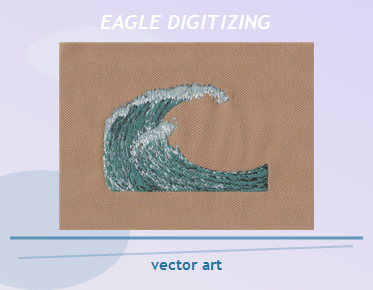
Embroidery is the most demanding of the three because stitches respond to fabric movement, thread direction, and design density. A vector logo may look perfect and still be unsuitable if it includes tiny lettering, thin outlines, or overly complex gradients. Before digitizing, the art must account for stitch density, underlay, pull compensation, and fabric compatibility. That is why small details often need simplification before the first stitch is ever placed.
How File Preparation Reduces Rework
Good file preparation starts with vector cleanup, then moves into production review. That means removing extra nodes, tightening curves, checking shape balance, and making sure the logo works at the size it will actually be used. A clean logo vector file makes it easier to quote, easier to digitize, and far less likely to trigger revisions after sampling.
Common Customer Pain Points and the Practical Fix
Many customers send a low-resolution JPG because it is the only version they have, then wonder why the output looks rough or inconsistent. Others expect one file to work for print, cutting, and embroidery without adjustments. The fix is to prepare the artwork for the output method, not just convert it automatically. Eagle Digitizing helps clients reduce risk by reviewing artwork for production fit before moving into embroidery file preparation or vector cleanup.
When Simple Logos Need Less Cleanup
A basic one- or two-color mark may only need light refinement, especially if the shape is already bold and legible. In those cases, a free vector service may be enough to convert a simple icon into a workable outline for a straightforward application. But once the design includes small text, layered shapes, or fine detail, manual cleanup becomes much more important than automation.
What a Smart Production Workflow Looks Like
The best workflow is simple: review the JPG, clean the vector, test the logo at real size, and prepare it for the target process. For embroidery, that also means planning sew-out testing so stitch direction and density can be checked before final production. If the art is going onto apparel, the logo should be judged on the actual fabric and garment style, not only in a digital preview.
FAQ
Can any JPG be converted into a production-ready vector logo?
Most JPGs can be converted, but not every file is ready for production without cleanup. Low-resolution art, compressed images, and detailed photos usually need manual correction before printing, cutting, or embroidery.
Why is a vector file better for embroidery digitizing?
A vector file gives the digitizer clean shapes and better control over size, spacing, and detail. That makes it easier to plan stitch direction, underlay, and pull compensation for a stable sew-out.
What should I send before requesting a quote?
Send the JPG, your preferred output use, final size, and any notes about fabric or garment type. That helps the file be prepared correctly and keeps the quote process faster and more accurate.
Ready-for-production artwork protects your brand from weak edges, poor registration, and embroidery that breaks down at small sizes. With Eagle Digitizing, the goal is to turn a JPG into a logo that is truly usable for print, cut, and stitch applications, so you can move forward with confidence. Contact Us or Get a Free Estimate when you are ready to start your next apparel branding project.