
AI-Generated Images — How to Convert Them into Vector Files?
With the rapid growth of AI image generation tools, more businesses are using AI-created artwork for branding, merchandise, and production sampling. However, before entering any manufacturing workflow, a critical question must be addressed: how should an AI-generated raster image be converted into a usable vector format?
If the conversion process is not handled properly, it can affect editing flexibility, scalability, and downstream production quality. Understanding structural differences between raster and vector formats is essential for ensuring production readiness.
Why AI Images Cannot Be Used Directly in Production
Most AI-generated designs are raster-based formats such as PNG or JPG. Raster images are composed of pixels, which means they lose clarity when scaled. This limitation creates problems in processes that require precise edge definition.
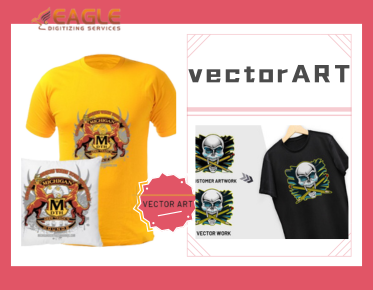
Production workflows typically require vector file conversion, since vector graphics are built from paths and nodes rather than pixels. Vector files can scale infinitely while maintaining edge sharpness, making them suitable for embroidery, printing, engraving, and cutting applications.
Converting an AI image into vector format is not simply a file change—it is a structural reconstruction.
Automatic Tracing vs. Manual Redrawing
When performing image to vector conversion, two common approaches are automatic tracing tools and manual reconstruction.
Automatic tracing offers speed, but it often produces:
-
Excessive nodes
-
Irregular path structures
-
Fragmented color layers
These issues may not be obvious visually, but they reduce editing efficiency and complicate production processes.
Manual redrawing focuses on structural clarity. By controlling path quantity, ensuring closed shapes, and organizing logical layers, the resulting file becomes more adaptable and production-friendly.
The goal is not visual similarity alone, but structural suitability for real-world applications.
Special Considerations for Embroidery Applications
If the converted file is intended for embroidery, additional factors must be considered.
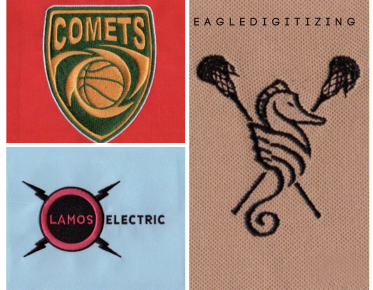
Embroidery digitizing relies on clean outlines, defined layer hierarchy, and controlled direction planning. A poorly structured vector file directly affects the quality of embroidery digitizing.
For example:
-
Small fragmented shapes can disrupt stitch flow
-
Open paths interfere with fill logic
-
Overlapping areas may inflate stitch count unnecessarily
Therefore, the intended production method should guide the vector reconstruction process from the beginning.
How to Evaluate Whether the Converted File Is Qualified
A properly prepared file that has undergone vector graphic optimization typically demonstrates:
-
Reasonable node count without redundant paths
-
Fully closed shapes
-
Clear and editable layer structure
-
Well-defined color boundaries
It should also maintain clarity and structural integrity when resized.
If the file is prepared for embroidery or similar physical production methods, proper AI image processing must include structural refinement beyond simple auto-tracing.
Production-Oriented Conversion Logic
Converting AI-generated artwork into vector format is a structural decision, not just a technical step. The process should be guided by the final production method—whether printing, cutting, or embroidery.
When the end use involves embroidery, structural planning must support stitch logic, path sequencing, and density control. Production stability depends on this foundation.
In professional production environments, Eagle Digitizing approaches vector reconstruction from a manufacturing perspective, ensuring that converted artwork aligns with the technical requirements of downstream processes.