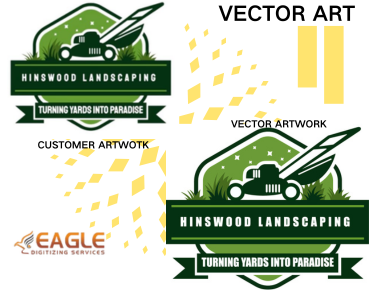

Why Color Overlaps in Vector Files Cause Unexpected Print Errors
In the digital age, creative professionals, print shops, and designers increasingly rely on vector files for superior scalability and flawless output across various print mediums. However, a persistent challenge lurks even for the most detail-oriented creators: color overlaps in vector artwork. These often unseen nuances trigger a perplexing set of unexpected print errors, sometimes turning a vibrant vision into a frustrating production nightmare. Understanding why color overlaps in vector files cause such issues is crucial not just for professional designers, but for print businesses, brand managers, and anyone invested in premium printed results. In this guide, we’ll explore the technical mechanics of vector files, expose common pitfalls relating to overlapping colors, and provide solutions that safeguard print quality and brand reputation.
The Digital DNA of Vector Files
Vector files are the backbone of modern graphic design, prized for their infinite scalability, pure geometric shapes, and mathematical precision. Unlike raster files composed of individual pixels, vector files utilize curves and paths defined by mathematical expressions. This means you can scale a logo, illustration, or sign art from a business card to a billboard without loss of quality. Common vector file formats like AI (Adobe Illustrator), EPS, SVG, and PDF are standard across design and print workflows.
Among the many advantages of vector files is their approach to color. Rather than confining color to a grid of pixels, vectors give each shape or path a color fill or stroke attribute. This process, when done correctly, ensures crisp, reproducible colors in print and digital formats. However, precision in file preparation, especially regarding overlapping colors, plays a more significant role than many realize.
How Color Overlaps Occur in Vector Art
Imagine designing a colorful event poster. Layered shapes and text elements, each with their own hue, share space within your vector canvas. Overlaps most commonly happen when two or more colored vector objects intersect or stack atop one another. This can be as intentional as creating a drop shadow effect or as unintentional as forgotten construction guides or background shapes creeping into the final art.
What’s the problem with some overlap? In a digital preview, especially on a backlit monitor, overlaps often appear subtle or even visually correct. However, vector file overlaps interact with color separations, transparency flattening, and printer software in unpredictable ways. One of the often-overlooked challenges is that printing devices and their respective software may interpret these overlaps differently, sometimes creating muddy or unintended visual results.
Whether you are engaging in vector conversion services for commercial logos, promotional banners, or custom merchandise, cleaning up overlaps early in your workflow helps prevent technical headaches down the road.
Unveiling the Impact: Print Errors That Derail Projects
Color Bleeding and Ghosting
The most frustrating outcome of color overlaps is color bleeding, where colors mingle unexpectedly at the point of intersection. Sometimes, resulting shades bear no resemblance to your original design. In traditional screen printing or digital output, these overlaps can cause “ghosting” effects—faint shadows of colors persisting in places they were never intended to appear.
Registration Misalignment
In multi-color prints, registration refers to the precise alignment of each color plate. Overlapping vector shapes, especially those with semi-transparent fills, dramatically increase the risk of misregistration. Minor misalignments during printer pass-through can yield double outlines, fuzzy edges, or gaps between colors, all diminishing the professionalism of finished products.
Blocked or Missing Colors
Some professional printers use software to flatten transparencies and separate color channels for output. If overlaps are not flattened or handled correctly before exporting, entire color regions might disappear, appear blocked, or print in the wrong order—a surefire way to reject an entire batch.
Why Color Overlaps Are Technically Problematic
In theory, vector editing programs like Adobe Illustrator or CorelDRAW allow fine-grained control over every path, shape, and color. Yet, once files are exported for printing, the software must translate the stacking order, blending modes, transparency, and intersection of shapes into something a print RIP (Raster Image Processor) can interpret.
If overlaps aren’t merged, knocked out, or correctly layered, here’s what can happen:
- Transparency flattening: Printers may “flatten” the artwork, trying to resolve ambiguous color blends by combining color information—often introducing unexpected artifacts.
- Knockout errors: Some shapes may be “knocked out” (i.e., the underlying area is cut away), but overlapping fills can cancel out the intended color below or above.
- Overprint confusion: Overprint settings allow some colors to blend intentionally. However, accidental overlaps or incorrect overprint settings can create dull hybrid colors or loss of detail.
- Inconsistent color output: Devices interpret overlapping vector color data differently, leading to drastically different results across printers, substrates, and even print batches.
Specialists in vectorization services are all too familiar with these pitfalls, employing advanced techniques to anticipate and correct them before a file ever reaches the press.
Best Practices for Preventing Overlap-Related Print Errors
1. Use Pathfinder Tools Thoughtfully
Modern vector editing software includes pathfinder or shape builder tools. Use these features to merge or subtract paths and eliminate unwanted overlaps. Always examine your outlines (strokes) versus fills and reorder layers deliberately.
2. Flatten Transparencies Before Export
Before exporting a file for print, flatten all transparencies. This converts all effects into solid vector shapes, keeping your color data predictable.
3. Use Knockouts and Overprints Appropriately
Set intentional knockouts for elements meant to exclude underlying colors, and double-check overprint settings so they only apply where blended colors add value. Regularly review your artwork in overprint preview mode—many surprises show up here before they wreak havoc on a completed job.
4. Convert Text to Outlines
Converting all text to outlines before sending files to print ensures that typefaces do not introduce hidden overlaps, missing glyphs, or unwanted rasterization.
5. Collaborate With Your Printer Early
Engage with your print provider during the file preparation stage. They can recommend the best file format and settings for their specific equipment, and help identify risky overlaps before production begins.
The Role of Professional Vector Art Services
Many businesses and creatives now turn to professional vector art conversion services to ensure artwork meets the rigorous demands of modern printing. These experts not only clean up overlaps but also optimize color separation, fix transparency issues, and deliver ready-to-print files in formats like AI, EPS, CDR, and PDF.
Eagle Digitizing stands out in this crowded landscape for its commitment to excellence, speed, and customer satisfaction. With services ranging from raster to vector conversion to advanced color separation and vector tracing, Eagle Digitizing empowers print shops, t-shirt businesses, promotional agencies, and designers to deliver their vision without compromise. Their rapid turnaround and versatile file support make them a favorite for fast-paced projects requiring total reliability. Whether you need a simple logo conversion or a complex illustration separated for silk screen, their solutions minimize the risk of overlap errors wrecking a production run.
Applications Across Industries
Overlap management isn’t only a matter for large-scale publication houses. Small and midsize businesses, embroidery services, screen printing shops, marketing agencies, graphic designers, and even custom merchandise creators all benefit from disciplined vector file preparation. Every well-prepared, error-free design supports brands, campaigns, and products in putting their best face forward.
For creative professionals, mastering the art of overlap elimination insulates your work from costly do-overs and delayed deadlines. Clients remember the quality of the finished product, and every flawless printout builds a brand’s reliability in the eyes of consumers.
Future Trends in Vector File Management
As printing and digital output technologies evolve, automation and AI-driven tools offer greater support for preflighting files and fixing common errors—including color overlaps—before they ever reach print. Machine learning models embedded in conversion programs continue to advance, identifying risky overlaps, misalignments, and unintended transparency issues with greater accuracy.
However, human expertise remains irreplaceable; understanding the aesthetic and functional intent behind each design element is crucial for the decisions that no algorithm can make. The convergence of smart technology and skilled vector artists creates an ideal workflow, reducing print errors while fostering creativity and speed.
Final Words: Elevate Your Vector Workflow
The journey from a brilliant digital artwork to a perfect print is riddled with unseen peril—among them, the subtle yet impactful issue of color overlaps in vector files. Taking a disciplined approach to overlap management, leveraging trusted experts, and embracing best practices will not only spare costly mistakes but also elevate your results in a competitive visual marketplace.
As you prepare your next vector masterpiece, what new tools or collaborative practices might you incorporate to future-proof your file preparation? Consider how investing in professional expertise and diligent file management today can unlock more creative freedom, reliability, and success in every project you print or publish.
.png "vector art service")
.png "vector art service")