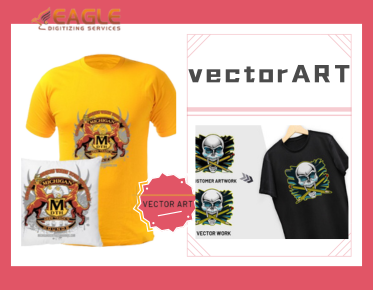
.png "vector art service")

Why Vector Files Look Fine on Screen but Fail in Printing
In the design world, vector files are widely hailed for their scalability and crisp, clean lines, making them the go-to format for intricate logos, text-heavy designs, and expansive prints. However, an odd phenomenon often occurs where a design looks impeccable on a computer screen, yet falls short when printed. Understanding why this happens is crucial for designers, print professionals, and anyone involved in creating visual content.
Understanding Vector Graphics
Vector graphics are composed of paths defined by mathematical equations. These paths are not limited by resolution, which means they can be scaled to any size without losing quality. This is in stark contrast to raster graphics, which are made of pixels and can appear blurry when resized. Vector images are edited and created using software like Adobe Illustrator, and they are typically saved in file formats such as AI, EPS, and SVG.
Despite their numerous advantages, vector graphics are not immune to errors, especially when it comes to printing. One common issue arises from colors. A color that looks vibrant on a monitor due to RGB color space might not translate well into CMYK, the color model used for printing. This can result in dull colors or unexpected shifts, making an artwork appear significantly different in print.
Color Management and Calibration
One of the main reasons for discrepancies between on-screen and printed artwork is color management. Computer screens use RGB (Red, Green, Blue) color settings, whereas printers use CMYK (Cyan, Magenta, Yellow, and Key/Black) inks. Without proper color management, what you see on your screen is not what you get in print. It's indispensable to use a color calibration tool and proof prints to ensure what you see on your screen matches the print output.
File Compatibility and Font Issues
Another element that frequently poses challenges in printing vector files is file compatibility. While vector formats like AI and EPS are standard among design software, they can be unreliable if the receiving printer or software does not support them properly. This issue often emerges when working across different software versions or incompatible systems.
Moreover, fonts can trip up an otherwise perfect vector file. Although designs will appear correctly on screen when the needed fonts are installed, printing them on a different system without converting the fonts to outlines can lead to mismatched or substituted types, ruining the design’s aesthetics.
Overcoming Printing Challenges
Ensuring printing success with vector files requires a few strategies. First and foremost, always convert text to outlines if you're unsure about font compatibility. This ensures the font maintains its appearance regardless of where it’s printed. Next, check raster effects. Since vectors are not rasterized, any bitmap effects applied during editing must be checked for resolution when printing.
The Role of Vector Conversion Services
Service providers like Eagle Digitizing offer professional vectorizing services that handle complex conversions and adjustments required for printing. By leveraging their specialized knowledge and tools, businesses can transform their raster images into high-quality vector files ready for printing. Providers like this handle everything from raster to vector conversion, ensuring compatibility with various printing requirements.
Future Trends and Considerations
As vector technology evolves, so too do the solutions for ensuring seamless transitions from screen to print. The future will see further enhancements in color management systems and automatic error detection for vector files. Designers and printers equipped with these advanced tools will be better prepared to produce flawless prints. Considering these advancements, now is the time to refine your vector workflow and partner with expert services to minimize the challenges associated with vector printing.
Looking ahead, one key area of growth is automated error detection tools that could predict printing issues before they occur, offering designers a chance to rectify problems beforehand. This proactive approach to vector printing is expected to redefine the standards of quality and accuracy in printed graphics.