
How to Optimize Vector Graphics to Improve Website Loading Speed
When it comes to website performance, one of the crucial areas of focus is optimizing graphics, particularly vector graphics. Vector graphics play a significant role in maintaining high-quality visuals without compromising on file size. However, if not appropriately optimized, they can affect the loading speed of your website.
Understanding Vector Graphics
Vector graphics are created using paths defined by mathematical equations, allowing the images to be scaled infinitely without losing quality. This is in contrast to raster graphics, which are made up of pixels. The smooth scalability of vector graphics makes them ideal for responsive design applications where images need to look sharp on any screen size.
The advantage of vectors also lies in their typically smaller file sizes compared to raster images, especially when dealing with simple graphics and icons. By ensuring that vector graphics are appropriately optimized, you ensure that they contribute positively to the loading times of web pages, enhancing the overall user experience.
Techniques for Optimizing Vector Graphics
Effective optimization of vector graphics involves several techniques that ensure your images are lightweight and load quickly without sacrificing visual quality:
1. Simplify Paths
One of the primary steps in optimizing vector graphics is to simplify paths. By reducing the number of anchor points, you can decrease the complexity of a graphic, which consequently reduces the file size. Many vector editing tools offer path simplification options, which can simplify curves and lines without losing any essential details.
2. Utilize SVG Formats
SVG (Scalable Vector Graphics) is an optimal file format for vector images on websites because it's both lightweight and adaptable. SVG files can be further optimized by removing unnecessary metadata and unused definitions. Tools like SVGOMG allow you to clean up your SVG files, stripping out non-essential code to make them leaner.
3. Compress and Minify
Compressing your vector images helps reduce their file size, which is pivotal for improving loading times. Minifying involves removing unnecessary spaces and comments in the file's code. Both compression and minification can significantly reduce the payload your web server needs to deliver to a user's browser.
Advanced Optimization Strategies
For those seeking to further enhance their website’s performance, advanced strategies beyond the basic techniques can be employed:
4. Use a Content Delivery Network (CDN)
A CDN can help deliver vector images faster by storing cached versions of your graphics across various global servers. This means that users access files from the server closest to them, reducing latency and loading times.
5. Implement Lazy Loading
Lazy loading is a technique that delays the loading of images until they are in the viewport. This approach reserves bandwidth and allows the main content to load first, providing a smoother experience for the user. Implementing lazy loading for non-essential vector images can significantly bolster page speed.
6. Optimize Image Elements with CSS
Vector graphics can also be optimized via CSS. Instead of embedding large SVG files directly into your HTML, consider using CSS to define certain graphics or repetitive design elements. This can help in reducing file size and streamlining the delivery process.
Tools for Vector Graphic Optimization
There are numerous tools available that specialize in optimizing vector graphics. These tools can automate much of the process, allowing you to focus on design:
- Vector Magic is ideal for converting images to vector files quickly, enhancing workflow efficiency.
- Advanced vector editing software like Adobe Illustrator and CorelDraw have built-in tools that help simplify and streamline vector paths and details.
Boosting Performance with Eagle Digitizing
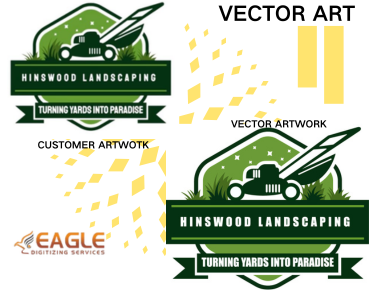
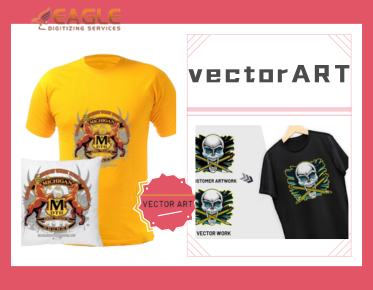
Companies like Eagle Digitizing offer comprehensive vector art services to help you optimize your vector graphics effectively. Their expertise in raster to vector conversion, vector tracing, and image retouching ensures high-quality, scalable graphics suited for all digital applications without the lag associated with oversized images. Eagle Digitizing caters to various businesses, including marketing agencies and print shops, by providing professional vectorization services tailored to enhance visual appeal without compromising on performance【4:0†Vector Services.json】.
Reflecting on Vector Graphic Optimization
As digital media continues to evolve, optimizing vector graphics stands as a fundamental practice in maintaining efficient website performance. By embracing these optimization strategies, you not only ensure faster loading times but also enhance the overall user experience. Looking forward, the integration of smarter AI tools in vector optimization may revolutionize how we approach graphic design on digital platforms.
As you leverage these optimization techniques, consider how evolving technologies will shape the future of web design and what further tools might emerge to streamline and enhance vector graphic usage. How will AI transform vector graphic creation and optimization in the coming years?