
Why Thin Lines Disappear After Vector Scaling
Vector graphics are widely used due to their scalability and precision, making them essential in fields such as advertising, engineering, and digital media. However, one challenge that vector images face is the disappearance of thin lines during scaling. This occurrence can be perplexing for designers and clients alike, who expect exact proportionality regardless of size adjustments. Understanding the reasons behind this phenomenon and how to mitigate it can enhance the usability of vector graphics significantly.
The Nature of Vector Graphics
Scalability and Resolution Independence
Vector graphics comprise geometrical shapes like points, lines, curves, and polygons, which are defined by mathematical expressions. One major advantage of vector graphics is their scalability; you can adjust their size without losing quality. This property contrasts with raster graphics, which can become pixelated upon resizing. Yet, despite this scalability, thin lines can completely disappear when vectors are scaled down. This is mostly because thin lines may fall below the pixel threshold of visibility on displays, especially when reducing the size of the image drastically.
Algorithmic Rendering Challenges
The software algorithms used in rendering vector graphics to a digital medium like a screen play a crucial role. These algorithms struggle with thin lines when scaling because they often don't fit neatly into the grid of pixels upon resizing. As a result, they might not be rendered at all if they are scaled below the visual threshold of the display. This is particularly problematic when the line thickness is akin to one or two pixels since many displays cannot render lines smaller than this efficiently.
Reasons for Thin Line Disappearance
Resolution and Display Limitations
The resolution of the display is a critical factor in whether thin lines are visible after scaling a vector image. When vectors are downscaled, especially on lower-resolution displays, thin lines might fall into gaps between pixels, leading to their disappearance. A similar issue occurs during printing if the thin lines are below the printer's minimum line thickness capability.
Antialiasing Effects
Antialiasing is a technique used to smooth the edges of graphics and improve their appearance on-screen. However, while antialiasing benefits most visuals, it can unintentionally cause thin lines to blur or fade during scaling because it averages the colors at the lines' boundaries. This leads to a visual merging of the line with its background, making it much less discernible.
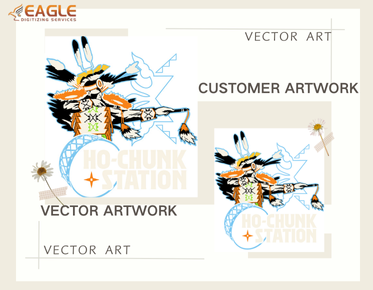
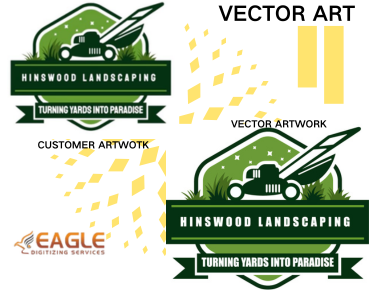
Implementing design services like vector art services helps to accurately convert and adjust complex designs to maintain integrity during scaling. Such services ensure that any vector work produced remains as close to the original as possible, regardless of size.
Mitigation Strategies
Adjusting Line Weights
One effective way to counter the disappearance of thin lines is to adjust the line weights before scaling. By setting a minimum thick line weight proportional to the image's intended size range, designers can ensure that lines remain visible across different scales. This involves forethought in the design phase, especially when the artwork is meant for variable-sized applications.
Using High-Quality Software and Services
Utilizing advanced vector software that offers better control over scaling can also be beneficial. Tools that support precise adjustments in line thickness and enhanced antialiasing can help maintain line visibility. Companies like Eagle Digitizing offer expert vectorizing services that ensure high-quality vector conversions, addressing issues like thin line disappearance with their specialized techniques.
Exploring Vector Conversion Services
In the context of scalable vector graphics, conversion services become crucial. Services like Vector Magic provide high-quality conversions that can handle varied line thickness and scale them appropriately. They offer solutions that are often more nuanced than standard vector software, providing reliable adjustments to ensure visibility across all sizes.
Companies like Eagle Digitizing leverage modern vector conversion techniques to provide services such as conversion facility at competitive pricing, tailored for small to midsize businesses needing quick turnaround times without sacrificing quality. Their skills in raster to vector conversions enable businesses to maintain the visual integrity of artwork at any scale, catering to industries that require precision like marketing and promotional products.
Industry Perspectives and Future Trends
As display technologies and software algorithms continue to evolve, the ability to render smaller and thinner lines accurately may improve, mitigating issues related to vector scaling. Designers and developers are continually seeking innovative solutions, such as adaptive algorithms that better replicate how human vision perceives thin lines. Moreover, advances in machine learning could offer predictive adjustments to vector graphics, further enhancing their resilience against scaling discrepancies.
The ongoing demand for precise and scalable vector graphics also underscores the importance of professional services that can ensure correct scaling practices. For businesses looking to remain competitive and innovative in digital design, understanding and utilizing these vector scaling solutions is vital. As we look towards a future with even more sophisticated vector rendering capabilities, the challenge of thin line disappearance serves as a reminder of the critical balance between technology limitations and creative design.