
How to design lightweight vector logos with no more than 50 anchor points for digital applications?
Designing lightweight vector logos that are both aesthetically pleasing and efficient for digital applications is a sophisticated art. The balance lies in ensuring the design is intricate enough to convey the brand's message while being simple and compact, comprising no more than 50 anchor points. With the increasing performance demand of digital platforms, streamlined vector logos play a critical role. In this exploration, we will delve into practical steps to create optimized vector logos that maintain high visual impact with minimal data weight.
Understanding Vector Graphics and Anchor Points
Vector graphics are constructed using paths defined by mathematical equations, ensuring that the image remains consistent regardless of size. Anchor points are crucial components of these paths, determining the trajectory of lines and curves within the design. Minimizing anchor points is essential to reducing file sizes, which enhances upload speeds and rendering on various digital applications. A carefully crafted vector logo that efficiently uses anchor points without extraneous complexity will be beneficial for website load times and overall visual appeal.
Techniques for Simplifying Logo Designs
1. Plan with Simplicity in Mind
The first step in designing a lightweight vector logo is planning with simplicity at the forefront. Consider the core elements that embody the brand's identity, and focus on these components. Eliminate unnecessary details that do not add value to the logo's recognition. The concept of ‘less is more’ holds true here, urging designers to translate the brand message into clean, uncomplicated lines.
2. Use Smooth Curves and Lines
Smooth curves consume fewer points and look more refined. Where possible, replace sharp angles with smooth arcs. This approach helps in reducing anchor point count while also providing a modern, timeless appearance to the logo. Tools within vector design software often assist in converting sharp angles to smooth transitions to achieve this goal.
3. Optimization Tools
Vector design software solutions, such as Adobe Illustrator, provide optimization tools that can be deployed to automatically reduce the number of anchor points. For instance, using the path simplification feature can effectively decrease vector artwork conversion complexity while preserving design integrity.
The Role of Professional Services in Vector Design
Incorporating professional vector design services available online can significantly aid in achieving high-quality logos with minimal anchor points. These services often use advanced systems to convert logos into optimized vector formats, ensuring that all unnecessary details are removed, and the anchor points are minimized.
Benefits of Using Professional Services
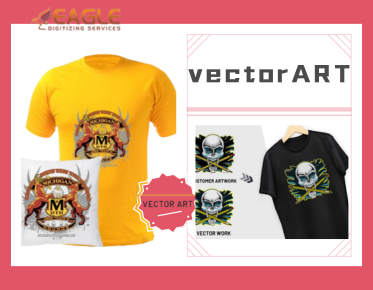
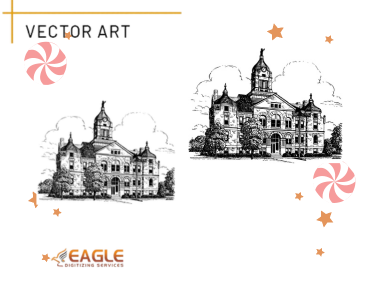
Professional services such as those provided by Eagle Digitizing specialize in vector logo conversion. They offer benefits like maintaining design accuracy while optimizing images for various applications such as print and digital media. Their expertise ensures that your logo appears clear and detailed without file bloat that can impact digital performance.
Design Software Techniques and Tips
Efficient use of design tools is imperative. Leveraging keyboard shortcuts, using layers efficiently, and mastering software-specific optimization tools are invaluable skills. Designers should prioritize learning the ins and outs of their vector editing software to fully utilize in-built features for optimizing graphics and reducing the number of anchor points.
Customizing Anchor Point Usage
Most modern vector software allows manual customization of anchor points. This power can be harnessed to ensure that every point used serves a critical role in the design, cutting out any that don't contribute significantly to the logo's shape or look. Careful attention to each adjustment aids significantly in achieving the goal of reduced anchor points.
Case Studies and Real-World Examples
There are inspiring examples in the field of business branding where leading companies have successfully deployed minimalist logos with powerful brand recognition. These case studies serve as references and inspiration for how simplicity coupled with creativity can lead to impactful logo designs.
Final Perspectives on Lightweight Vector Logo Design
Embracing simplicity and efficiency in vector logo design is not just a trend but a necessity for modern digital applications. As technology evolves, ensuring optimized graphic content remains a top priority for businesses aiming to maintain competitive edges in speed and accessibility. Looking ahead, advancements in design tools and practices will continue to underscore the importance of innovative approaches in optimizing logo designs.