
Vector Art Requirements for Large Format Printing
Vector art for large format printing must be clean, scalable, and editable, with smooth paths, closed shapes, and no pixel blur at any size. Low-resolution JPGs, extra effects, and broken fonts usually cause expensive rework, so starting with proper vector conversion is the safest way to keep banners, signs, and brand graphics sharp. Upload Your Design for a free estimate if you want a file that is ready to print with less back-and-forth.
Why Vector Art Is the Starting Point
Large format printing depends on artwork that can scale without losing edge quality. A vector file keeps logos crisp from small mockups to wall graphics, while raster files often reveal softness, jagged lines, and hidden quality problems. If the source art is weak, the print job inherits those flaws.
Use Clean Paths and Closed Shapes
Good output starts with clean geometry. Smooth curves, closed shapes, and consistent anchor points help the RIP software read the file correctly, and they also reduce surprises during production. Professional vector tracing is often the fastest fix when a logo arrives as a screenshot, sketch, or low-res image.
Size Changes Must Not Change Quality
Large format art is often stretched, cropped, or reused across several print sizes, so the file must stay strong at every scale. Thin lines, noisy edges, and overcomplicated details can disappear when enlarged. A clean vector keeps the artwork stable whether it becomes a storefront banner, trade show panel, or vehicle graphic.
Prepare Colors and Backgrounds for Print
Color decisions matter as much as shape quality. A print-ready file should separate colors clearly, avoid accidental blends, and show how the artwork interacts with white, dark, or transparent backgrounds. That simple planning helps printers match brand color intent more consistently and reduces confusion when multiple substrates are involved.
Simplify Type and Fine Details
Small text, hairline strokes, and decorative fragments can look elegant on screen but fail at production scale. Letters need enough weight to remain readable from a distance, and icons need enough space between shapes to avoid filling in. This is where file preparation becomes part design review and part production logic.
Remove Effects That Won’t Print Cleanly
Drop shadows, blur effects, transparency, and unexpanded strokes can create uncertainty for large format output. Many shops can print effects, but only if the file is built correctly and the final look is intentional. Removing weak elements early protects the art from unwanted substitutions and keeps the file easier to approve.
Review Line Weight and Viewing Distance
A logo that looks perfect on a laptop may lose impact on a building wrap or oversized sign. Strong art balances line weight, color contrast, and viewing distance so the brand is still readable from across the room or parking lot. That is one reason a print ready vector is more than a technical file; it is a communication tool.
When the Same Logo Also Needs Embroidery
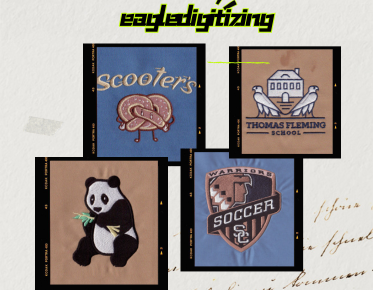
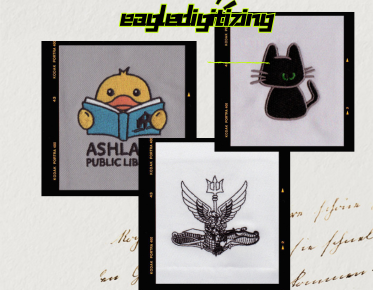
Many brands use one logo across printing, apparel branding, and embroidery digitizing, and that is where file discipline really matters. Details that are fine on a banner may be too small for stitches, especially in tiny lettering or thin outlines. Stitch density, underlay, pull compensation, and fabric compatibility all become relevant if the same artwork will later be digitized.
How Eagle Digitizing Fits Into the Workflow
Eagle Digitizing helps clients who need artwork cleaned up before production, especially when a logo must move between print and apparel use. Their vector conversion work can rebuild rough source files, correct broken edges, and prepare art that is easier to approve, easier to print, and easier to reuse across branding projects.
A Practical File Prep Workflow
Start by collecting the best source art you have, then confirm fonts, colors, and intended size before any output is finalized. Next, verify outlines, spacing, and file integrity, and make sure the art is truly editable instead of flattened into an image. A careful vector quality check before release saves time and protects the client from avoidable revisions.
Common File Problems That Slow Production
Blurry logos, mismatched fonts, broken shapes, and hidden raster elements are the most common reasons print jobs get delayed. These issues are especially frustrating when a customer thinks the file is ready because it looks fine on a phone or desktop screen. Production teams need art that is built for the press, not just for preview.
What Clients Should Submit to Speed Approval
The best starting files are the highest-quality original artwork, a clear note on final size, and any brand color references that matter. If a logo only exists as a JPG or PNG, sending the cleanest version available still helps. When in doubt, Contact Us before production begins so the file can be reviewed before the schedule gets tighter.
FAQ
What file type is best for large format printing?
Vector formats such as AI, EPS, SVG, or print-ready PDF are usually best because they scale cleanly and keep edges sharp.
Can a low-resolution logo be turned into print-ready vector art?
Yes, if the artwork has enough visual clarity to rebuild accurately. Clean source files make the redraw more reliable.
Why does vector cleanup matter if the design will also be used for apparel branding?
Because the same logo may need to work in embroidery later, and clean paths, simple shapes, and proper spacing help both print and stitch production.
Make the First Print Count
Strong large format printing starts long before ink or vinyl hits the material. If your design needs to stay sharp at banner size and still work across branding channels, Eagle Digitizing can help you turn rough art into a cleaner production file. Send your artwork, protect your brand presentation, and request a quote when you are ready to move forward.