
Why Vector Files Look Fine on Screen but Fail in Printing
Vector files are often lauded for their scalability and quality when it comes to displaying images on digital screens. However, challenges arise when these images transition from the screen to print. Despite appearing perfect on a monitor, many users encounter issues when trying to achieve the same quality in physical prints. This disconnect can be frustrating, especially for those unfamiliar with the intricacies of vector graphics and printing technology.
Understanding the Fundamentals
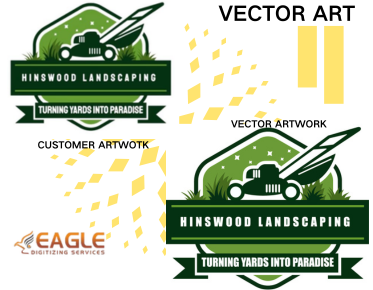
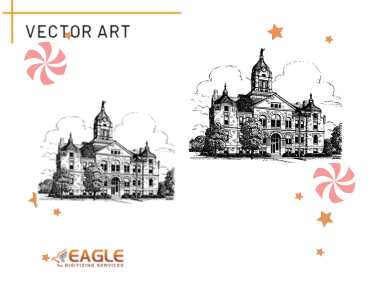
To comprehend why vector files can falter in printing, it is essential to grasp the fundamental differences between vector and raster files. Vector graphics are composed of paths defined by mathematical equations, making them infinitely scalable without losing quality. In contrast, raster images consist of pixels, which can become pixelated when resized beyond their original resolution. When ensuring that vector graphics maintain their integrity in print, it's crucial to consider the vector art services online that usually specialize in resolving these discrepancies.
Color Management in Printing
A primary culprit in vector file print issues is color management. The colors displayed on screens are often in the RGB (Red, Green, Blue) format, which can differ significantly from the CMYK (Cyan, Magenta, Yellow, Black) color model used in printing. Vector files intended for print must be converted to CMYK to ensure accurate color reproduction. Mismanagement of this conversion can lead to dull or incorrect colors on the printout. Leveraging professional vector conversion services can aid in this transformation, ensuring that the final printed product aligns with digital expectations.
Resolution and Detail Level
Another aspect to consider is the level of detail and resolution required in printed materials. Although vectors themselves are resolution-independent, the printing process is not. High-quality printing demands a high level of detail, which can sometimes be lost if the vector has not been properly prepared. This might involve increasing the number of control points along the paths or adjusting the complexity of design elements. Engaging with vector artwork conversion services ensures that these details are adequately handled.
File Format Compatibility
The choice of file format for vector graphics is another important factor. Common vector formats such as AI, EPS, or PDF must be compatible with the printing equipment and software being used. Incompatibility issues can result in elements being poorly rendered or omitted altogether. Thus, understanding the file formats supported by your print service provider is crucial. Consulting with services like Eagle Digitizing, which offers a myriad of format options, can provide reliable advice on the optimal format for different printing needs.
Complex Vector Designs
Complex designs that include intricate paths and multiple overlapping elements can also create challenges during printing. High complexity can lead to overloaded printer memory and slow processing times, potentially causing errors in the final print. Simplifying the vector design where possible or breaking it down into more manageable sections can mitigate these issues. Alternatively, utilizing resources that offer high quality vector converter applications can streamline this process, ensuring a balance between complexity and printability.
The Printing Hardware Factor
The capabilities of the printing hardware itself must not be underestimated. Not all printers are equipped to handle the demands of detailed vector designs, especially at high resolutions or large formats. Using specialized printing techniques such as digital or screen printing can accommodate the detailed nature of vector files. For businesses and individuals seeking top-notch output, collaborating with professional print shops familiar with vector graphics is advantageous.
Vector Optimization Techniques
Finally, optimizing vector files for the print process can significantly reduce potential issues. This includes streamlining paths, eliminating redundant points, and flattening transparency. These steps help to not only reduce file size but also enhance the efficiency of the print process itself. Eagle Digitizing, known for its expertise in vector optimization, offers tailored solutions to meet these needs, ensuring prints are as vivid and precise as the designs on screen.
As technology continues to evolve, so too do the solutions for bridging the gap between digital displays and printed media. Understanding these challenges and leveraging the tools and services available can transform potential failures into successful print projects. Whether engaging professionals or enhancing one's own skills, the path to mastering vector-to-print transition is filled with opportunities for growth and innovation. What other technological advances might reshape our interaction with vector graphics in print in the coming years?