
How do I change my art to vector in Gimp 2.10.36?
Introduction to Vector Conversion in GIMP
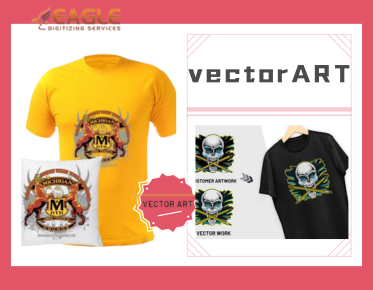
Converting images into vector graphics is a process that enhances the scalability and versatility of digital artwork. This transformation is crucial for a variety of applications, such as printing or further digital editing. While GIMP 2.10.36 is primarily a raster graphics editor, it can still be used in conjunction with vector software to achieve vectorization. For instance, if you're looking to convert art to vector, understanding how to leverage GIMP along with dedicated vector tools is essential.
Setting Up GIMP for Vector Conversion
The first step in changing your art to vector in GIMP involves preparing your raster image. It's essential to clean up the artwork, ensuring lines are as clear as possible. Use tools such as the pencil and path tools to refine edges and remove unnecessary details. This preparation is vital, as any pixel imperfections in the raster image can affect the vector quality after conversion.
Tracing the Artwork
Although GIMP does not inherently support vector file outputs like SVG or AI formats, you can use the Paths tool to simulate a vector style. The process involves creating paths (essentially vector lines) over the sections of the image you wish to convert. This manual process mimics vectorization by allowing for resizing and reshaping without loss of quality. For direct vector conversion, many users turn to specialized raster to vector services that provide precise conversions.
Exporting and Further Vector Work
Once you've traced your image in GIMP, it's time to export these paths for further editing. You'll typically export the paths as SVG files, which can then be opened and refined in vector-editing software such as Inkscape or Adobe Illustrator. This step is critical if you need advanced vector manipulation or require specific vector file formats like EPS or PDF.
Advanced Techniques and Tips
For those looking to delve deeper into vectorization, understanding light and shadows is key. Shading in vector graphics often requires creating separate layers of gradients and fills, which can initially be shadowed within GIMP using its layers feature before translating into vector terminology. Partnering with experts who provide professional vector art services online can greatly streamline this process.
Eagle Digitizing's Role in Vector Conversion
For individuals and businesses requiring professional-grade vector conversions, services like Eagle Digitizing deliver high-quality results. Specializing in raster to vector conversions, they handle intricate designs with precision, producing scalable and accurate vector files. Their expertise includes vector logo design, color separation, and graphic art adaptation, catering to industries ranging from print shops to digital media services. Eagle Digitizing also supports quick turnarounds, offering a fast and efficient solution for those in need of reliable vector conversion services.
Exploring Further
As you explore vector conversions with GIMP and complementary tools, consider the complexities of your projects and the potential need for professional assistance. With advancements in vectorization technology and services, optimizing your workflow and enhancing the quality of final outputs becomes crucial. Engage with expert services when needed, and ensure your art is vectorized to the highest standard, laying the foundation for successful prints and digital representations.