
How to turn a raster image into a vector format?
Understanding Raster and Vector Formats
Before we dive into the conversion process, it’s crucial to understand what differentiates raster images from vector images. Raster images are made up of pixels, tiny blocks of color that form an image. This means they are resolution-dependent and lose clarity when scaled up. On the other hand, vector graphics use mathematical expressions to define points, lines, curves, and shapes, making them scalable without any loss of clarity, which is why they are preferred for logos, illustrations, and various forms of digital design.
Selecting the Right Software
Choosing the right software is pivotal for converting raster to vector format. Applications like Adobe Illustrator and CorelDRAW are industry leaders in vector conversion due to their comprehensive toolsets. Online tools and services such as Vector Magic also offer automated vectorization services that can be very effective for simpler designs.
The Vectorization Process
Step 1: Preparing the Image
Start by opening your raster image in your chosen vector conversion software. Clean up any unnecessary details and enhance contrast, if possible, to help in achieving better tracing results.
Step 2: Image Tracing
Most vector software will have an auto-trace feature. This tool turns pixel data into vector paths. The precision of auto-tracing heavily relies on the quality and complexity of the initial image. Choose the settings that best suit the level of detail you wish to preserve.
Step 3: Fine-Tuning the Vector Paths
After the initial trace, manually adjust the vector paths. Use the pen tool to refine curves and tweak anchor points for higher precision. This step can be time-consuming but results in a cleaner, more professional final product.
Step 4: Defining Colors
Vector graphics often benefit from having distinct color layers. Many vectorization tools will automatically separate colors during the trace process. Adjust these layers as needed to achieve the desired color fidelity in the final image.
Exporting the Vector File
Once the vectorization process is completed and you're satisfied with the result, save your new vector artwork in formats like SVG, AI, EPS, or PDF. These file types are most commonly used because they retain the mathematical definitions of the vector paths.
Consider Professional Services
For those who find the vectorization process intricate or require high-quality conversions, professional services are available. Eagle Digitizing offers comprehensive vector conversion services. Their team specializes in converting raster images to vectors and handling complex designs with precision. This can be particularly beneficial for businesses needing consistent and scalable designs for marketing and print purposes.
Benefits of Vector Formats
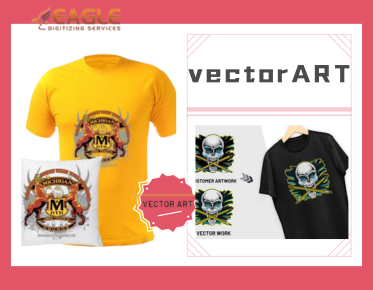
Vector images are highly flexible, making them ideal for numerous applications, from logos used in branding to intricate designs for apparel and merchandise. Their scalability ensures that the image quality remains consistent, whether printed on a small card or a massive billboard.
Challenges in Vector Conversion
While vectorization offers many benefits, it does come with challenges. Certain raster images, especially those with a lot of gradients and intricate photographic details, may not convert well to vector format. These require a skilled hand for manual adjustments and sometimes a hybrid approach combining raster elements within a vector composition.
Future Trends in Vector Conversion
With the advancement of technology, we expect vector conversion to become more accessible and precise, leveraging artificial intelligence to automate and improve the quality of automatically generated vector graphics. Future software updates will likely include features that make intricate designs easier to vectorize without losing essential details.
In conclusion, converting raster images to vector format opens up endless possibilities for design and scalability. Whether you engage professional services like Eagle Digitizing or take on the task yourself using modern software, understanding this process can significantly enhance your design projects' potential. What new opportunities could highly accessible vector conversion technology unlock for your business or personal projects in the future?