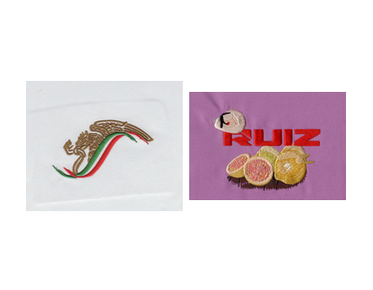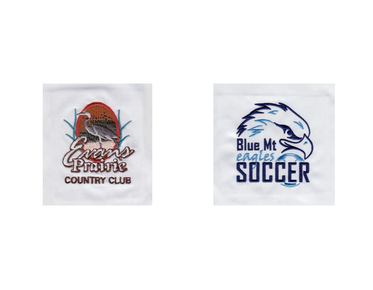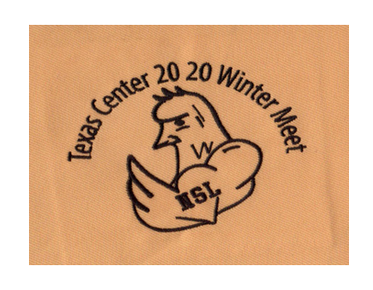

What to Check in a Digitized Logo Before Approving Production
Before approving a logo for embroidery production, check how its lettering, outlines, fills, and stitch sequence are likely to sew—not just how the design looks on screen. Strong embroidery digitizing quality depends on details such as density, underlay, and fabric compatibility. A careful digitized logo stitch-out review can reveal issues while there is still time to adjust the file.
A production approval is more than a visual sign-off. It confirms that the digitized design is suitable for the intended garment, embroidery method, and output requirements. The right review can help prevent problems such as unreadable small text, gaps between shapes, excessive stiffness, or a logo that shifts out of alignment as it sews.
Start with the design’s intended use
Before evaluating individual stitches, confirm what the file is being made for. A logo intended for a left-chest polo has different constraints from one intended for a cap front or a jacket back. The available area, fabric, backing, and embroidery method all influence how details should be digitized.
Check that the approval file reflects the production plan:
- Placement: Is the logo intended for the correct location, such as a left chest, sleeve, or cap panel?
- Finished size: Is the design shown at the dimensions the embroidery will actually use?
- Fabric: Is it intended for a stable woven material, a stretchy knit, a textured towel, or another substrate?
- Application: Will the design be stitched flat, or does it require a treatment such as 3D puff?
- File requirements: Does the embroidery production team have the required machine format, such as DST, along with any other requested deliverables?
A logo can look correct at a large preview size and still be unsuitable when reduced for a small garment placement. Approve the actual production size and application, rather than relying on a high-resolution image of the artwork.
Review the elements most likely to cause problems
Lettering and narrow details
Small text deserves particular attention. Embroidery thread has physical width, and stitches cannot reproduce every thin line or tiny gap in vector or raster artwork. When fine lettering is reduced, counters in letters such as “a” or “e” may close, strokes may merge, and small spacing differences may disappear.
Inspect the smallest text at its intended stitched size. Check that each character remains recognizable and that letter spacing is open enough to sew cleanly. Also look for narrow borders, tiny icons, and fine gaps between adjacent shapes. If a detail is essential to recognition but cannot be stitched reliably at the chosen size, it may need to be simplified or enlarged before approval.
Outlines, joins, and shape boundaries
Follow the edges of each major shape in the preview. Look for outlines that appear too heavy, inconsistent, or separated from the fill they are meant to define. Pay attention to points where several shapes meet: stitch buildup at a junction can make an area bulky, while an awkward sequence can leave a visible gap.
Consider whether the stitch direction supports the shape. Direction changes can add visual texture and help define form, but poorly planned angles may make a logo look uneven or cause parts of it to pull in different directions. The approval image should make the overall construction understandable, even though a preview cannot show every physical effect of stitching.
Check density, underlay, and compensation
Stitch density affects coverage, flexibility, and the amount of thread built up in the design. Too much density can create a stiff or bulky result and may contribute to thread breaks. Too little can leave fabric showing through where solid coverage is expected. Density should be judged in relation to the stitch type, thread, design scale, and material—not by treating one number as correct for every logo.
When reviewing the file, look for areas that appear unusually heavy compared with neighboring sections, especially where multiple fills or outlines overlap. If you need background on how density settings affect embroidery objects, see embroidery stitch density settings.
Underlay provides a foundation beneath visible stitches. Its purpose and amount depend on the object and fabric. Appropriate underlay can help stabilize a design and support coverage; unsuitable underlay can add bulk or produce an unwanted texture. Pull compensation is another important consideration: stitches may pull fabric inward, so a digitizer may need to account for that movement to help shapes retain their intended dimensions.
These details are not always easy to assess from a static image. Use the preview to identify questions, then evaluate the actual sew-out when the production decision depends on how the design behaves on fabric.
Match the file to the fabric and embroidery method
The same logo may sew differently on a firm twill, a stretchy performance shirt, a cap, or a textured fleece. Fabric can stretch, compress, shift, or show through between stitches. A design digitized without its intended material in mind may need adjustments to density, underlay, pull compensation, or stitch direction.
Confirm that the digitizing assumptions match the production material and any stabilizing method the embroiderer plans to use. If the garment or application changes after approval, ask whether the file needs to be reviewed again. A file that works well on one fabric is not automatically suitable for every other fabric. For a reference on how material-related properties can affect digitizing, consult fabric-specific embroidery settings.
Caps and other shaped or structured items can add another layer of complexity. Their construction and sewing direction may affect how the design is supported and how elements align. For raised 3D puff, the logo also needs to be designed with that technique in mind; a flat embroidery file should not be assumed to produce a suitable raised result without appropriate digitizing decisions.
Use a sew-out to confirm the digital review
A stitch preview helps you inspect the design’s appearance and sequence, but it is not a substitute for sewing the file on the intended material. A sew-out can reveal issues that a screen view cannot fully predict, including fabric show-through, puckering, registration shifts, excess stiffness, or lettering that becomes difficult to read in thread.
When a sew-out is available, compare it with the approved artwork and check:
- Whether the placement and finished dimensions are correct.
- Whether small text and distinctive logo details remain legible.
- Whether outlines meet their fills without obvious gaps or excessive overlap.
- Whether the fabric puckers, distorts, or feels unnecessarily dense.
- Whether the stitch result suits the garment and the intended use.
If the test is sewn on a different fabric or at a different size from the production item, treat it as a useful reference—not a complete confirmation of the final result.
Approve the production file, not only the preview
Before giving final approval, confirm that the production team has the correct version of the design, the intended size and placement, and the required machine file. If you requested a specific format such as DST, make sure the delivered file matches the production requirements. Keep the approved preview and any notes about the material or placement together so the approval is clear.
Separate visual preferences from production concerns. A color choice may be a branding decision; a missing outline, unreadable text, or a mismatch between the file and the intended fabric can affect the embroidered result. Raise those issues before the file is released for a full run.
When to request a digitizing adjustment
Ask for a revision if the design will be used at a different size, on a different material, or with a different embroidery method than originally specified. Adjustments may also be needed when fine artwork details collapse at production size, neighboring elements merge, or the sew-out shows distortion or excessive buildup. The goal is not to preserve every pixel of the original artwork; it is to produce a stitched logo that remains recognizable and appropriate for its application.
Clear input helps the digitizer evaluate the file: share the artwork, intended dimensions, placement, fabric, and any production requirements available. Custom embroidery digitizing should be reviewed in the context of how the design will actually be stitched, not as artwork in isolation. Contact Eagle Digitizing to discuss a production-ready file or request a quote before approving your logo for embroidery.
A reliable approval checks both the visible design and the conditions under which it will be sewn. Review the lettering, stitch structure, density, and material fit, then use a sew-out when the application calls for it. For help evaluating embroidery digitizing quality or preparing a digitized logo stitch-out review, contact Eagle Digitizing and take the next step before production begins.