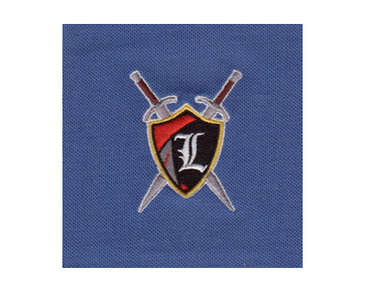

How an Embroidery Digitizing Service Turns Artwork Into a Stitch-Ready File
An embroidery digitizing service converts artwork into a sequence of stitches an embroidery machine can sew. The process involves more than changing a graphic’s file format: a digitizer plans stitch types, direction, density, and order around the design’s details and intended use. With custom embroidery digitizing, a logo can be prepared for the specific garment, placement, and production requirements instead of relying on an automatic conversion.
Artwork is the starting point, not the finished design
A logo may look clean on a screen and still be unsuitable for direct embroidery. Digital artwork describes shapes and colors visually; an embroidery machine follows stitch data. That data must tell the machine where to place stitches, how they should run, when one section should stop, and where the next section begins.
This distinction matters because thread behaves differently from ink or pixels. Stitches have physical width and thickness, fabric can shift or stretch as it is sewn, and small details can close up or disappear. Digitizing translates the visual design into instructions that account for those realities. It is a production-planning step, not simply a file conversion.
When preparing artwork for a digitizer, share the clearest available version and include useful production details. The original vector file is helpful when available, but a high-resolution image can also provide a reference. The requested finished size, garment or fabric, embroidery placement, and any known machine-file requirements help guide the work. If you are unsure which details are needed, ask before the design is prepared.
How the artwork becomes stitch data
Each design presents different digitizing decisions. A compact left-chest logo, for example, may need a different stitch plan from a large jacket-back graphic. A cap design must account for the way the garment is hooped and sewn. A digitizer interprets the artwork and production context, then builds the file section by section.
- Review the artwork and requirements. The digitizer considers the design’s shapes, lettering, colors, intended size, placement, and material. This review helps identify details that may need adjustment for embroidery, such as very thin lines or tiny text.
- Choose stitch types and direction. Satin stitches, fills, and other stitch structures suit different shapes. Stitch direction affects how a section looks and how it interacts with neighboring areas. The goal is to represent the artwork clearly while creating a practical sew sequence.
- Plan underlay and density. Underlay stitches help support the top stitches, while density determines how closely the stitches are placed. These choices depend on the design and fabric. Excessive density can make an area stiff or bulky; too little can leave coverage weak.
- Account for fabric movement. Pull compensation helps address the way fabric can draw inward under stitching. It is not a universal setting: the appropriate approach depends on the design, material, and production setup.
- Set the sewing sequence. The order of design elements influences registration, appearance, and production flow. Stitch sequencing can reduce unnecessary movement and help adjoining shapes line up as intended.
- Save the requested machine format. Once the stitch plan is built, it can be exported in a format appropriate for the embroidery equipment or workflow. Confirm the required format with the person or shop producing the embroidery.
The result is a machine-readable set of stitch instructions. If you are researching machine-ready embroidery file formats, remember that the right extension depends on the equipment and production process. A file extension alone does not indicate whether the design has been digitized well or is suitable for a particular garment.
Why fabric and placement affect the file
The same artwork may need different digitizing choices for different applications. A stable woven fabric generally behaves differently from a stretchy performance garment. A cap has a curved surface and a distinct sewing process, while a jacket may have a heavier or textured material. These differences influence stitch structure, underlay, density, and compensation.
Placement and finished dimensions matter, too. A small logo may not have enough room for every detail in the original artwork. Tiny lettering, narrow gaps, and fine outlines can become difficult to sew clearly at reduced sizes. A digitizer may need to simplify details or adjust lettering so the embroidered result remains legible. This is why supplying the intended size—not just the artwork—is essential.
Good digitizing is not an attempt to preserve every pixel. It is a practical interpretation of the design that maintains its recognizable features in thread. When a detail cannot be reproduced reliably at the requested scale, discussing the limitation before production can prevent avoidable disappointment.
What to check before production
A completed file should be reviewed in the context of its intended use. A design preview can help confirm the layout, colors, and sequence, but an on-screen view cannot show every effect of fabric, thread, hooping, or machine setup. When the design or application warrants it, a sew-out provides a useful way to evaluate the result on the target material before a larger run.
Use this short checklist when requesting or reviewing a digitized design:
- Is the finished size and embroidery placement clear?
- Has the digitizer been told what fabric or garment will be used?
- Are small lettering and fine details appropriate for the requested size?
- Does the requested file format match the production equipment or shop’s workflow?
- Has the design been reviewed at its intended dimensions, rather than only enlarged on screen?
- Is a sample sew-out needed to evaluate the design on the actual material?
If a sew-out shows gaps, distortion, overly dense areas, or details that are hard to read, the file may need adjustment. The cause can involve digitizing, material, hooping, thread, machine settings, or a combination of factors. Sharing clear feedback and production details helps the digitizer assess what should change; changing stitch settings without identifying the cause may not solve the issue.
Digitizing versus automatic conversion
Automatic conversion can create stitch data from an image, but it does not necessarily understand how a logo will sew on a specific material or at a specific size. It may assign stitches without making considered decisions about underlay, stitch direction, density, pull compensation, or the order of design elements. A file can therefore open in a machine workflow and still produce an unsatisfactory sew-out.
Professional digitizing adds human judgment to those choices. The digitizer evaluates which elements need satin stitches or fills, how to handle small shapes, and how to balance coverage with flexibility. The objective is a usable production file that represents the artwork appropriately in thread—not merely a file that contains stitches.
For a closer explanation of what is embroidery digitizing, the key idea is that digitizing translates artwork into stitch instructions. The quality of that translation affects how clearly and consistently a design can sew, but the final result also depends on the material and production setup.
Working with Eagle Digitizing
Eagle Digitizing provides embroidery digitizing services for customers who need artwork prepared as an embroidery file. A useful request includes the artwork, the intended finished size, the garment or fabric, the design placement, and any file format requirements you have received from your production provider. These details give the digitizing process a practical target and help align the file with its intended application.
If you have questions about preparing artwork or sharing production requirements, digitizing services for embroidery can be discussed with Eagle Digitizing through its support channel. For pricing information related to custom work, use the available digitizing pricing option. Providing complete specifications at the outset can help clarify what the design needs before it reaches the embroidery machine.
When artwork must become reliable stitch data, the important step is choosing a stitch plan that suits the design, size, and material—not just exporting a file. Eagle Digitizing can help prepare embroidery digitizing service work for your production needs. Share your artwork and requirements to request a quote and take the next step toward a machine-ready embroidery file.