
Production-Ready Vector Conversion: Files and Details to Request
Production-ready artwork requires more than a file with a vector extension. A useful production-ready vector conversion preserves the intended shapes, colors, and details while preparing the artwork for its actual use. When arranging vector conversion services, tell the provider how the design will be produced and request file formats, color information, and editable paths suited to that workflow.
What “production-ready” should mean
A vector file stores artwork as paths and shapes rather than a fixed grid of pixels. That makes it possible to resize many logos and illustrations without the soft, jagged edges that can appear when enlarging a small JPG or PNG. But vector artwork is not automatically ready for every printer, sign shop, or product application.
Production readiness depends on the relationship between the artwork and its intended output. A small logo for a label may need different detail handling from a large graphic for a banner. A screen-printing workflow may require clearly defined color areas, while a digital print workflow may retain gradients or other effects. The file needs to represent the design clearly and be compatible with the vendor’s production process.
Before requesting a conversion, identify the specific problem you need solved. Perhaps the logo is blurry when enlarged, the original file is missing, or a vendor cannot use the image you supplied. That context helps a vector artist distinguish between a straightforward conversion and a redraw that requires careful reconstruction.
Start with the production details
Share enough information for the artwork to be prepared for its real destination. If you are unsure about a technical requirement, ask the company that will print, cut, display, or otherwise produce the design. Specifications can differ by equipment and workflow, so it is better to confirm them than to assume one file setup suits every use.
- Intended use: Explain whether the artwork is for apparel graphics, signage, packaging, promotional products, or another application.
- Final size: Give the expected dimensions or size range. Include the smallest and largest planned uses when the logo will appear in multiple places.
- Production method: Name the process if known, such as screen printing, large-format printing, or cutting. If the vendor supplied file requirements, include them.
- Color requirements: Provide approved brand colors, color references, or a current brand guide. Ask whether the output needs spot colors, process colors, or another specified setup.
- Background treatment: State whether the artwork should have a transparent background, a solid background, or a particular background shape.
- Design assets: Supply the clearest source you have, plus any alternate logo versions or reference images that show the intended appearance.
A low-resolution image can still communicate the design, but small text, intricate details, and color boundaries may be difficult to interpret. If parts of the reference are unclear, point them out instead of expecting a converter to guess. For a logo redraw, include any available brand standards or notes about which elements must remain unchanged.
Which files should you request?
Ask for the formats your production partner can open and use. An editable source file is valuable when future changes may be needed, while a delivery format may be more convenient for a particular vendor. Common options include AI, EPS, SVG, and PDF, but the extension alone does not tell you whether the file is editable or suitable for the job.
- AI: Often used as an editable Adobe Illustrator working file. Confirm that the recipient has compatible software and ask how fonts or linked assets will be handled.
- EPS: A widely exchanged vector format that some production workflows request. Verify compatibility with the receiving vendor’s software and equipment.
- SVG: Frequently used for web graphics and supported by many design applications. Its suitability for production depends on how the recipient’s workflow handles the artwork and its features.
- PDF: Useful for sharing and review, but it may contain a combination of vector and raster content. Ask whether the PDF should preserve editable paths or meet other vendor-specific requirements.
Adobe’s documentation describes vector file formats for production that Illustrator can work with. Use this as a format reference, not a substitute for your production partner’s instructions. A file can open in a design program and still need adjustments before it works in a specific output process.
For SVG delivery, confirm the required version and whether effects, text, and other artwork elements need special handling. Adobe explains available SVG export options; the receiving vendor’s setup should guide which options are appropriate.
Details to confirm before approving the artwork
Request a brief description of what the deliverables include. This avoids confusion between a flattened preview, an editable vector file, and a complete package prepared for production. Useful questions include:
- Which file formats will be delivered, and which one is the editable master?
- Are the shapes represented as clean vector paths, or does the file contain embedded raster images?
- Will text remain live, or will it be converted to outlines? If text is outlined, can the original font still be edited later?
- Are colors defined according to the production partner’s specifications?
- Are there effects, gradients, clipping masks, or fine details that might not transfer as expected?
- Can the artwork be checked at its intended output size before final approval?
Outlining text can help preserve a particular letterform when the recipient does not have the font, but it also means that wording is no longer editable as text. Keep a separate editable version if future copy changes are likely. Similarly, a clean vector path can scale well, but it cannot restore details that are absent from the source image. Those details may need to be redrawn based on clear references and approval.
Conversion or redraw: which does the artwork need?
Some artwork can be converted with relatively direct tracing. This may suit a simple, high-contrast mark with distinct shapes. Other designs need more deliberate vector redraw work: for example, a logo with uneven edges, tiny gaps, complex letterforms, or rasterized gradients. A redraw focuses on recreating the intended artwork with cleaner, more controlled paths rather than simply tracing every pixel.
The right approach depends on the reference and the output. Automatic tracing may produce excessive anchor points, rough curves, or shapes that do not match the original design. A skilled review can simplify paths, clarify boundaries, and address details that could become distracting at the final size. When the source is ambiguous, the provider may need your direction before changing or reconstructing an element.
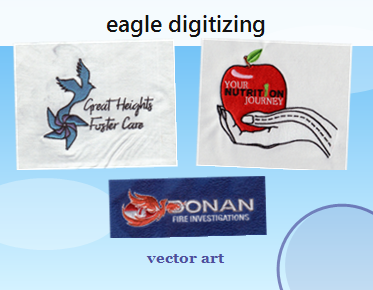
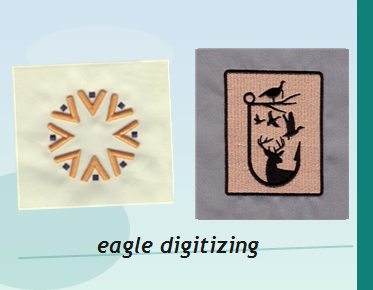
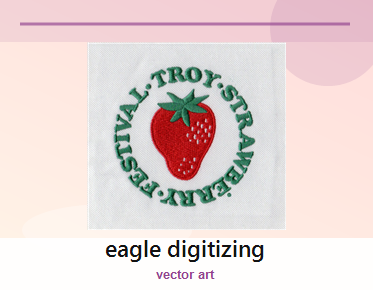
This is where professional vector work fits into a production workflow: it helps turn an existing logo or image into artwork that is easier to scale, share, and prepare for its intended application. Eagle Digitizing provides vector conversion and artwork redraw services for customers who need usable vector artwork from raster images or existing design files. The conversion does not replace the production vendor’s specifications, so share those requirements when you request the work.
A practical handoff checklist
Before you send the files to production, review the artwork at both a close view and its intended size. Confirm that the design looks right, the colors match the approved reference, and the correct version is being used. Then package the files and essential instructions together.
- Approved artwork and any reference images
- Intended use, dimensions, and production method
- Required color information and background treatment
- Requested editable and delivery formats
- Notes about fonts, effects, or details that must remain unchanged
- Confirmation from the production partner that the delivered format meets its requirements
Keep the original source alongside the converted artwork. It can help with future updates and provides context if a different size, colorway, or application is needed later. If the production partner identifies an issue, pass along its specific feedback so the artwork can be reviewed against the actual requirement rather than adjusted by guesswork.
Get artwork prepared for its next use
Clear instructions make it easier to request vector artwork that fits the job: describe the output, provide the best available reference, and confirm the format and color requirements with your production partner. For help turning a logo or image into scalable artwork, Eagle Digitizing offers production-ready vector conversion and vector redraw support. To request vector artwork support, share your source file and intended use so the artwork can be reviewed in context.