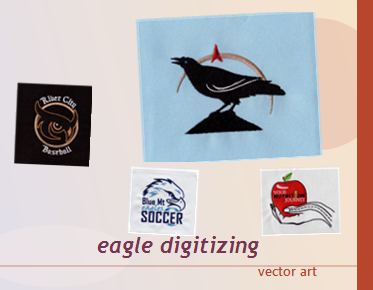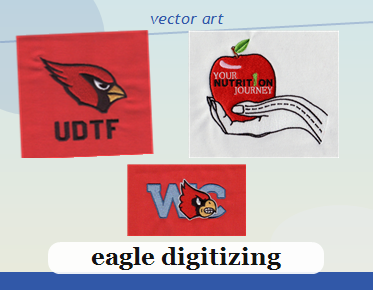

How to Build a Master Vector Logo Package for Q4 Campaigns
A reliable Q4 logo handoff starts with one organized source of truth: a master vector logo package that includes clean artwork, practical color versions, and files suited to the production methods your campaign requires. Build it before vendors begin preparing merchandise, signage, packaging, or digital assets. A well-planned package reduces avoidable file questions and helps teams use the same approved logo across seasonal promotions.
Start with the master artwork—not a collection of exports
The master file should preserve the logo as editable vector artwork. Unlike a small JPG or PNG, vector paths can be resized without becoming visibly pixelated. That makes vector artwork a useful foundation for many Q4 applications, from a compact promotional item to a large display graphic. It also gives designers a better starting point when they need to adapt a logo for different layouts or production requirements.
When the only available source is a low-resolution raster image, recreating or cleaning the artwork may be necessary. Enlarging a raster file does not restore missing detail; it only enlarges the pixels. A proper vector redraw reconstructs the logo’s shapes and paths so the result is clean and scalable. Keep the approved master separate from application-specific edits, and avoid treating a flattened preview as the production source.
Before the package is assembled, confirm which logo version is current. Seasonal campaigns sometimes involve a primary mark, a secondary lockup, or a simplified variation. Identify the approved versions and record any usage limits provided by the brand owner. This prevents an old logo or an unapproved variation from being mistaken for the final artwork.
Choose deliverables around real campaign uses
There is no single file format that is ideal for every vendor or workflow. Ask the printer, merchandise supplier, or production partner what they accept before exporting the package. Common vector deliverables may include AI, EPS, PDF, and SVG, but the receiving team’s requirements should guide the final selection. For web use or applications that support it, an SVG vector format can be useful; print and other production workflows may call for different files.
Keep an editable master when possible, then create clearly labeled exports for specific uses. For example, an SVG intended for a website is not automatically the right file for a print vendor. Likewise, a PDF can preserve vector content, but its suitability depends on how it was exported and what the production partner needs. Confirm that the artwork remains vector-based when that is a requirement.
- Editable master: Preserve the working vector file for future revisions.
- Vendor-ready exports: Provide formats requested for the campaign’s actual production processes.
- Reference preview: Include a clearly identified visual preview when it helps reviewers confirm the intended artwork.
- Version notes: State which logo variation and color treatment are approved.
Do not send a large assortment of unlabeled exports and expect the vendor to determine which one is authoritative. A concise, purpose-built package is easier to review and less likely to create conflicting versions.
Prepare color versions for different backgrounds and methods
Q4 campaigns often place the same mark on different materials, colors, and layouts. Prepare the logo treatments the campaign actually needs, such as full color, one color, or a reversed version for a dark background. Each variation should remain faithful to the approved brand artwork. Avoid casually changing proportions, spacing, or colors to make a file fit a particular product.
Color appearance can vary between screens, substrates, and production processes. If the brand has supplied color specifications, preserve them and include those details in the handoff. If specifications are missing, do not invent official color values. Ask the brand owner or production partner how color should be handled for the intended item.
Review each version on both light and dark backgrounds where relevant. Check for elements that disappear, small gaps that close up, or thin lines that may not reproduce well at the intended size. A logo that looks clear on a monitor may need review at its actual placement size before it is approved for production.
Clean paths and make text dependable
A vector file can still contain problems that complicate production. Inspect the paths for stray points, accidental overlaps, open shapes, duplicate objects, and unwanted clipping. Remove unused artwork outside the artboard when it could confuse the receiving team. Keep the design faithful to the source while making the file easier to interpret and use.
Text is another common source of handoff issues. If a file depends on a font the vendor does not have, the text may display differently or substitute another typeface. When the artwork is final and the recipient needs a self-contained file, convert text to outlines. Adobe’s guidance on outline fonts for production explains how outlined text becomes vector shapes rather than editable live type.
Keep a separate editable working copy before outlining text. Outlined lettering can help preserve appearance across systems, but it is no longer editable as ordinary text. If a vendor or collaborator specifically requests live text, follow that instruction and provide the necessary font information only when permitted and appropriate.
Make the package easy to navigate
Clear naming is a small step with a practical payoff, especially when multiple campaign assets are moving between marketing and production teams. Use filenames that communicate the logo version, color treatment, and format without relying on personal shorthand. Keep the naming pattern consistent throughout the package.
- Identify the mark: Distinguish the primary logo from any approved alternate lockup.
- Label the treatment: Note whether a file is full color, one color, or reversed.
- Show the format: Include the file type in the name or folder structure.
- Separate working and final files: Make it clear which assets are approved for handoff.
- Add concise production notes: Mention relevant background, color, or sizing considerations without cluttering the package.
A short readme or handoff note can answer basic questions: which file is the master, which variation is approved for a particular application, and whether the package contains outlined or live text. Keep these notes factual and specific to the supplied artwork. Avoid suggesting that a file is approved for a process unless that has been confirmed.
Use a Q4 readiness check before sending files
Campaign coordination is easier when artwork is prepared alongside the rest of the merchandise plan. As teams work through Q4 branded merchandise planning, they can identify the logo versions and file types needed for each application before production begins. That does not mean every vendor needs every format. It means the artwork handoff should reflect the real campaign plan rather than a generic folder of assets.
Before delivery, check the package against this list:
- Confirm that the logo version matches the approved campaign artwork.
- Open the master and exports to verify that files display correctly.
- Check that vector paths are clean and no unwanted objects remain.
- Review color and reversed versions against their intended backgrounds.
- Confirm text handling and outline fonts when required by the receiving workflow.
- Verify requested formats and production requirements with each vendor.
- Use clear filenames and identify the final, approved files.
This review is especially valuable when a logo will move between multiple suppliers. One partner may need a particular vector format, while another may need a different export or a specific color treatment. Confirm requirements directly rather than assuming that one file will suit every process.
Frequently asked questions
What should a master vector logo package include?
It should include an editable vector master, the approved logo variations needed for the campaign, and exports requested by the relevant production partners. Clear filenames and brief usage notes make the files easier to identify. The exact contents depend on the logo and its intended applications.
Is an SVG always the best file for a Q4 logo project?
No. SVG is useful in workflows that support it, including many digital uses, but production partners may request AI, EPS, PDF, or another format. Ask each recipient what they need, and do not assume that every export is interchangeable.
Should I outline the logo’s fonts before sending it?
Outline text when the receiving workflow calls for artwork that does not depend on installed fonts. Keep an editable copy before converting text to shapes, and follow the vendor’s instructions if it requests live text or a different setup.
For Q4 campaigns, the strongest logo handoff is accurate, organized, and prepared for the applications that are actually planned. Eagle Digitizing can help with vector conversion and artwork preparation when a logo needs a clean, scalable production file. If your source needs cleanup or conversion, production ready vector artwork can give your team a clearer starting point—contact Eagle Digitizing to discuss the needs of your campaign.