
What Makes a DST File Production Ready?
A production-ready DST file is a clean, machine-aware embroidery file that matches the fabric, size, and placement it will sew on, with the right stitch density, underlay, and pull compensation built in. Strong embroidery digitizing is what turns artwork into stitch data that runs smoothly, reduces trim problems, and helps your order move into production without costly surprises. Quote Now if you want the file checked before it reaches the machine.
Production Ready Means It Can Sew Without Guesswork
A file is production ready when the machine operator does not need to “fix it on the fly.” The stitch order, spacing, trims, and travel moves should already support the garment and design size. That is the difference between a file that looks good on screen and one that actually runs cleanly in production.
Clean Artwork Is the First Step
If the source file is blurry, jagged, or overly complex, the DST file will inherit those problems. Before digitizing starts, the art often needs vector cleanup so edges are sharp and shapes are consistent. In many cases, a good vector conversion service saves time later by giving the digitizer a solid base to work from.
Stitch Density Has to Match the Fabric
Heavy stitch density on a lightweight garment can cause puckering, while loose density on thick material may look thin or unstable. A production-ready file balances coverage and flexibility, especially on knits, performance wear, and caps. This is where the digitizer has to think beyond the logo and into the fabric behavior.
Underlay and Pull Compensation Keep Shapes Stable
Underlay supports the top stitches and helps the design hold its form. Pull compensation corrects for the natural way stitches draw fabric inward. Without both, circles can look oval, borders can shrink, and small fills can disappear. Those settings are not decorative details; they are the core of production stability.
Thread Direction Changes the Final Look
Thread direction affects sheen, texture, and how light hits the design. It also helps hide joins and smooth out awkward edges. A production-ready DST file uses direction intentionally, not randomly, so the logo looks balanced from every angle. That matters when the same artwork must appear consistent across multiple garments and sizes.
Small Lettering Has Real Limits
Fine text often causes trouble because needles, thread, and fabric all have physical limits. If lettering is too small, it can fill in, break apart, or become unreadable after washing. Good digitizing respects those limits instead of forcing impossible detail into the file. That is especially important for left chest logos and branding text.
Placement Changes the File Strategy
A logo for the left chest is not prepared the same way as artwork for a jacket back or cap. Size, curvature, and viewing angle all matter. For small branding areas, left chest digitizing needs tighter planning so the design stays clean at a compact scale without losing clarity or stitch balance.
The Handoff Should Include Production Details
A strong file prep workflow does not stop at digitizing. The order should include garment type, placement, final size, thread colors, and any known limitations. When clients Upload Your Design with those details, the file can be built for the actual run instead of being guessed from a generic logo image. That reduces revisions and speeds approval.
File Format and Machine Compatibility Matter
The final DST is only one part of the handoff. Production teams may also need supporting art files, notes, or alternate outputs for re-orders and future edits. Understanding embroidery file formats helps avoid confusion when a design must be shared, archived, or adjusted for a different machine or decoration method.
Sew-Out Testing Proves the File Is Ready
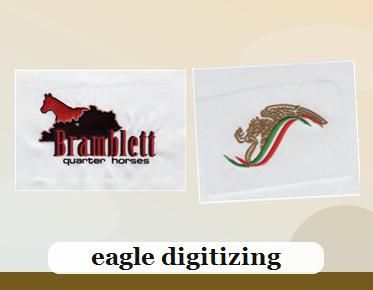
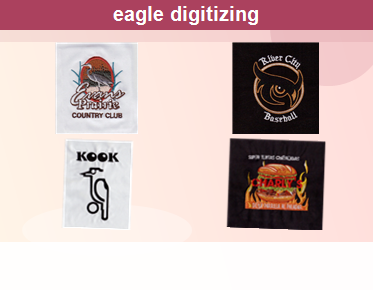
Even the best-looking file should be tested on real fabric before full production. A sew-out can reveal density issues, registration shifts, thread breaks, or tiny spacing problems that were invisible on screen. If the sample shows clean edges, balanced fills, and stable lettering, the DST file is much closer to true production readiness.
How Eagle Digitizing Helps Reduce Rework
Eagle Digitizing builds files with production logic in mind, so the goal is not just a nice preview but a stitch file that is practical on the machine. That means checking artwork quality, placement needs, and the likely limitations of the chosen fabric before the file is released. If you need pricing or a review, embroidery digitizing support can be the fastest starting point.
FAQ
What is the most important sign of a production-ready DST file?
The file should sew cleanly on the intended fabric with no major distortion, trimming issues, or unreadable details. If it needs little or no correction at the machine, it is likely production ready.
Do I need vector art before digitizing a DST file?
Not always, but clean vector art makes production prep easier. It gives the digitizer sharper shapes to work with and helps avoid problems caused by blurry or low-resolution artwork.
Why does my DST file need a sew-out test?
A sew-out test confirms that density, underlay, pull compensation, and stitch order work on real fabric. It is the best way to catch problems before they become expensive production mistakes.
A production-ready DST file protects your schedule, your garment, and your brand image. When the art is prepared correctly and the stitch logic is built for real-world sewing, embroidery looks cleaner and runs more consistently. If you want that level of reliability, Eagle Digitizing can help you prepare the file the right way and give you a smoother path from artwork to finished product. Start Your Embroidery Project today and send over your design for review.