
Why Businesses Need Production-Ready Vector Files for sponsor logos for event printing when placing a print order
Businesses need production-ready vector files for sponsor logos because print shops can scale the artwork, separate colors, and keep every edge sharp only when the file is clean, editable, and built for production. A proper vector file reduces proof delays, protects brand accuracy, and keeps the same logo ready for apparel branding or embroidery later.
If your artwork is still a JPG or PNG, vector conversion services can turn it into a usable foundation before the print order is placed. Upload Your Design and ask for a production review before approvals start.
That matters most when a sponsor logo has to appear on banners, step-and-repeat walls, programs, signage, and promo items at the same event. A clean file also makes it easier to move into image to vector conversion online workflows when a client only has low-resolution artwork.
Why print vendors ask for vector first
Print vendors ask for vector art because it scales without losing quality. Sponsor logos often need to go from a small website icon to a large event backdrop, and that jump exposes every pixel, blur, and uneven outline in the original file.
What production-ready really means
Production-ready means the file is organized, editable, and clean enough to move straight into print setup. Fonts should be outlined, shapes should be closed, and the layout should not rely on missing links, flattened images, or hidden effects.
Why sponsor logos fail when files are not clean
Many sponsor files arrive as screenshots, social media images, or compressed PNGs. Those files may look fine on screen, but they often break at print size, causing fuzzy edges, uneven spacing, and extra proof rounds that slow the job.
Vector and raster files are not the same
A raster image is made of pixels, so it stretches poorly. A vector file is built from paths, which lets the printer resize it and keep the logo crisp. That is why a raster to vector conversion online process is often the first step, not the final step.
Why auto-conversion is not enough
An image to vector conversion online tool can trace basic shapes, but sponsor logos usually need human cleanup. Auto-tracing often leaves rough corners, noisy curves, and awkward anchor points that show up once the artwork is enlarged or separated for production.
Clean paths save time at proof stage
Clean vector paths help the proofing team move faster because there are fewer corrections to make. The printer can verify shape accuracy, line weight, and spacing without redrawing the artwork, which reduces back-and-forth when deadlines are tight.
Thin text and small sponsor marks need extra care
Small lettering is one of the biggest risks in sponsor branding. Thin strokes, tight spacing, and condensed fonts can disappear on print or look distorted at a distance, so the file should be checked before the order is approved.
Color accuracy and outline control
Production-ready vector art helps preserve the right logo colors, outlines, and clear negative space. That becomes important when a sponsor has strict brand rules or when multiple vendors need the same artwork to match across different event pieces.
Large-format event printing exposes file problems
Big formats are unforgiving. A logo that looks acceptable on a phone can show jagged edges, uneven curves, or broken type once it is blown up for a wall wrap or stage banner. Clean vector art avoids that surprise.
Brand consistency across banners, shirts, and signage
Many businesses do not stop at print. The same sponsor artwork may later be used on shirts, hats, and booth uniforms, so a consistent logo vector file helps every vendor start from the same clean source.
Why clean vector art helps future embroidery
When the same logo is later digitized for apparel, clean vectors make the stitch map easier to plan. Stitch density, underlay, thread direction, and pull compensation all depend on accurate outlines, and messy art can create small lettering limitations or extra sew-out testing.
File prep workflow before you submit
Start by checking the source file, then remove extra background clutter, outline fonts, and confirm the final size needs. If the artwork is rough, a professional review is better than relying on a quick free vector service that may miss production details.
What to check before placing the print order
Before you submit, confirm that the logo is the latest approved version, that colors are identified clearly, and that all text is readable at print size. A few minutes of file review can prevent reprints, delayed approvals, and sponsor complaints.
When to use professional vector conversion services
Use professional help when the artwork contains gradients, faded edges, tiny text, or low-resolution images pulled from the web. Those files may trace automatically, but they still need cleanup so the final output is ready for press and future branding use.
How Eagle Digitizing supports production-ready art
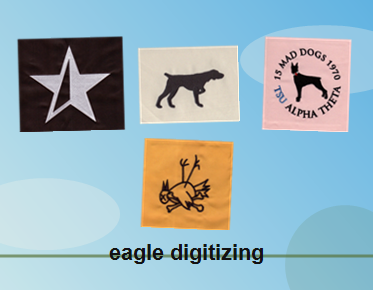
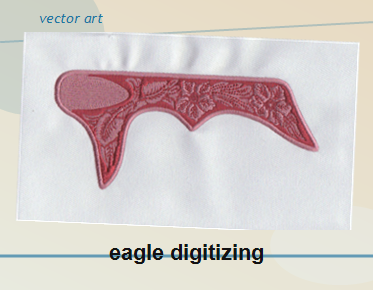
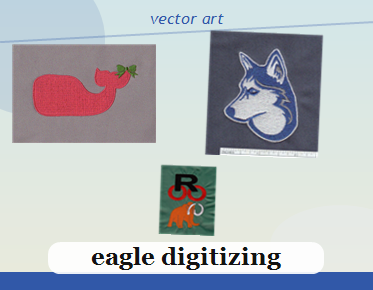
Eagle Digitizing helps businesses prepare sponsor artwork with the kind of cleanup that production needs. That can include redrawing shapes, refining edges, and preparing artwork that behaves better in print, on apparel, and in later embroidery digitizing workflows.
Common mistakes to avoid with sponsor logos
Avoid sending screenshots, flattened images, unoutlined fonts, and files that were resized too many times. A quick image to vector conversion online may produce a usable preview, but it usually is not enough for final production.
FAQ
Why do sponsor logos need vector files for event printing?
Vector files stay sharp at any size, which helps sponsor logos print cleanly on banners, signage, and other event materials without blur or pixelation.
Can a JPG or PNG still be used for a print order?
Yes, but only after proper cleanup or vector conversion. Low-resolution raster files usually need editing before they are ready for production.
What should I send if I want the fastest approval?
Send the latest logo version, any brand color notes, and the original editable file if you have it. That gives the printer a better starting point and reduces revisions.
When a sponsor logo has to look right on print pieces today and still be usable for apparel branding tomorrow, the safest move is to start with a clean production file. Eagle Digitizing can help businesses prepare artwork that prints with fewer surprises and converts more smoothly into embroidery-ready assets, so Contact Us to start your next project or request a file review before placing the order.