
Why Manual Vector Conversion Is Better for packaging logo files
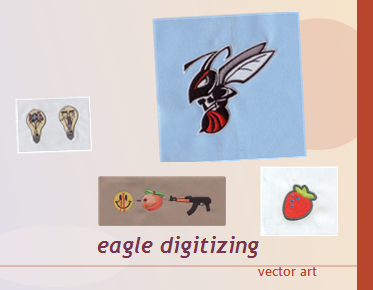
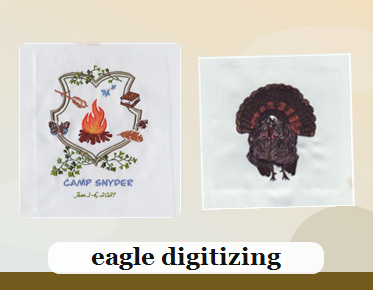
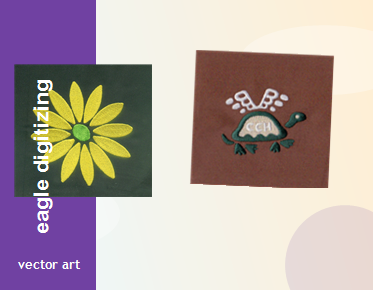
Manual vector conversion is better for packaging logo files because it rebuilds a logo with clean paths, sharp edges, and accurate proportions instead of relying on rough auto-trace results. That means better print readiness, easier reuse in embroidery digitizing, and fewer production mistakes when the artwork is turned into a brand asset. If you need a production-ready file, upload your artwork and request a quote through professional vector conversion services.
Auto-Trace Often Creates Problems Before Production Even Starts
Packaging logos are usually pulled from a JPG or PNG, and that is where automated tracing tends to fail. It may chase noise, flatten curves, and build uneven edges that look acceptable on screen but weak in print. A manual raster to vector image conversion gives a cleaner foundation for labels, cartons, inserts, and branded sleeves.
Manual Conversion Protects Brand Shape and Letter Accuracy
Packaging artwork has to look exact because customers notice small changes in a logo faster than they notice larger design shifts. Manual cleanup keeps letter spacing, corner shapes, and icon balance consistent across every version of the file. That is especially important when the logo will become an editable vector logo file for print, embroidery, or other brand applications.
Why Packaging Logos Need More Than a Quick Outline
A fast trace can leave extra anchor points, rough curves, and broken shapes that create trouble later in the workflow. Packaging teams often need a logo that can be resized for a shipping box, a hang tag, or a secondary label without losing clarity. Manual rebuilding produces a stronger vector art file that stays clean at small and large sizes.
File Prep Matters When the Same Logo Will Be Used Across Channels
Many brands use one logo for packaging, apparel branding, stickers, and even future embroidery work. That is why file prep should include path cleanup, closed shapes, and simplified details that will not collapse at small sizes. A professional logo vector conversion service helps create artwork that can move from packaging to production without forcing your team to rebuild it later.
Manual Vector Conversion Reduces Embroidery and Print Risks
When a packaging logo eventually becomes a cap logo, patch design, or chest placement, the source artwork needs to support digitizing decisions. Clean vector art makes it easier to evaluate stitch direction, underlay, stitch density, and pull compensation before production begins. Eagle Digitizing often sees that better artwork leads to fewer revisions, smoother sew-outs, and fewer surprises when the logo is scaled for fabric.
Small Type and Fine Details Need Human Judgment
Packaging logos often include tiny taglines, condensed lettering, or thin linework that automated software can distort. Once the file is reduced for a box flap or converted for a stitched application, those details may become unreadable. Manual conversion allows the artist to simplify what should be simplified and preserve what must stay visible, which is critical for both print and embroidery limitations.
Why Packaging Brands Value a Cleaner Production Workflow
A strong file preparation workflow saves time at every stage. The source image is reviewed, problem areas are rebuilt, unnecessary points are removed, and the artwork is checked for consistency before it moves to print or digitizing. That workflow lowers the risk of rework, missed deadlines, and inconsistent brand presentation. For teams that need dependable turnaround, this is where file quality starts to influence the final result.
Manual Cleanup Also Helps With Fabric Compatibility Later
If a packaging logo is reused for apparel branding, the artwork must still make sense on different fabrics. A mark that looks perfect on paper may need changes before it can be stitched on twill, cotton, knitwear, or structured caps. Clean vector artwork gives the digitizer a better starting point for thread direction, underlay strategy, and sew-out testing, which improves consistency across materials.
Choosing the Right Service Saves More Than Time
Teams that need reliable logo cleanup often look for more than basic software tracing. They want a result that feels finished, editable, and ready for real production use. That is why many print shops and apparel decorators rely on vector art services in usa when the source file is low resolution, badly scanned, or too complex for automatic tools to handle correctly.
What To Send When You Need a Packaging Logo Rebuilt
The best starting point is the clearest file you have, even if it is only a screenshot, old JPG, or PNG. Add any brand notes about preferred colors, proportions, or text corrections so the conversion matches the identity you already use. If your goal is a clean logo for packaging and future production, this is the moment to upload the file and contact a specialist before the artwork spreads across multiple vendors.
FAQ
What is the best file format for packaging logo files?
An EPS, AI, or SVG file is usually best because it stays sharp at any size and is easier to edit for print or embroidery production.
Why is manual vector conversion better than software tracing?
Manual conversion gives cleaner curves, better text accuracy, and fewer stray points, so the logo prints better and digitizes more reliably.
Can a packaging logo vector file be used for embroidery later?
Yes. A clean vector file is one of the best starting points for embroidery digitizing, but it still needs stitch planning for the final fabric and size.
Turn Better Artwork Into Better Production Results
Manual vector conversion is the smarter choice when packaging logo files need to look accurate, stay editable, and support future production. It protects brand detail, reduces cleanup, and gives teams a stronger file for print and embroidery work. If you want a cleaner path from source image to final result, Eagle Digitizing can help you prepare the artwork correctly and make the next step easier. Start your project today, upload your design, and get a free estimate before the file becomes a bigger production problem.