
Best Vector File Setup for trade show display graphics when only a JPG is available
If all you have is a JPG, the best vector file setup for trade show display graphics is a clean, manually refined vector redraw that keeps logos, text, and shapes sharp at large size. A quick jpg to vector converter can provide a starting point, but production-ready artwork still needs cleanup, scaling checks, and print-safe export. Upload Your Design to get a free estimate before your next booth deadline.
Why a JPG Alone Creates Problems
A JPG is a flat raster file, so it can blur, pixelate, or show compression marks when enlarged for backdrops, banners, and booth walls. That becomes a real issue when one logo has to look consistent across multiple display sizes and vendors.
What the Best Vector Setup Should Contain
The strongest setup keeps paths clean, corners controlled, and type editable. It should also preserve color intent and remove unnecessary effects so the file can scale for print, website use, and future decoration without losing shape quality.
Why Auto-Trace Is Only a Starting Point
Auto-trace tools often create extra anchor points, uneven curves, and weak corners that show up at large format. That is why many brands rely on vector conversion services when the source image is a low-quality JPG and the final output needs to look professional.
What to Fix First in the Source JPG
Start with the basics: clear edges, enough contrast, and a file that is not cropped too tightly. If the JPG came from a screenshot, social post, or email signature, expect hidden artifacts that need to be rebuilt before print.
How Trade Show Scale Changes the File Setup
Art that looks fine on a laptop can fail on a 10-foot wall. Large-format graphics expose thin strokes, tiny type, and weak spacing fast, so the vector should be simplified for distance viewing without losing brand recognition.
Why Clean Vector Paths Help More Than Pretty Effects
Trade show graphics need clarity, not just decoration. Clean vector paths make borders, icons, and lettering easier to reproduce, and they reduce the chance that one printer or exhibit house interprets the file differently than another.
How the Same Artwork Supports Embroidery Later
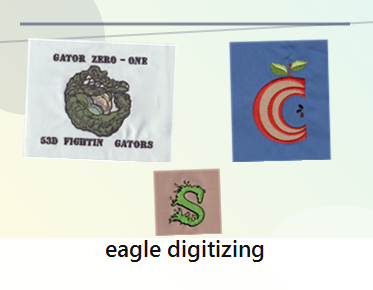
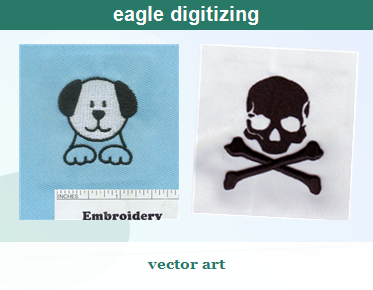
Many brands reuse the same logo on polos, jackets, totes, and staff caps. Clean vector art gives digitizers a better base for stitch direction, underlay, and pull compensation, which matters when the design has small lettering or tight details.
When a Manual Redraw Beats AI Cleanup
AI tools can help with rough shape recovery, but they often miss subtle font details and brand-specific geometry. A trained artist can rebuild the logo with control, which is why a good logo vectorization service is often the safer choice for important trade show assets.
What to Leave Editable in the Final File
Keep text editable when possible, separate colors cleanly, and avoid flattening everything into one image. That makes approvals easier and helps future production teams adjust the artwork for printing, embroidery, or packaging without starting over.
Where Eagle Digitizing Fits in the Workflow
Eagle Digitizing helps turn a weak JPG into production-ready artwork by reviewing the source file, cleaning the shapes, and preparing the logo for the next manufacturing step. That reduces the risk of redraw errors, layout surprises, and last-minute file problems.
How to Build a File That Works for Booth Graphics and Apparel Branding
If your trade show package includes signage and apparel, build around one master vector file. That master can be adapted for printing, converted for embroidery, and reused across campaigns without the file quality drifting from one version to another.
Why Vector Cleanup Protects Stitch Quality
Embroidery does not forgive messy art. Clean vectors help digitizers manage stitch density, underlay, and thread direction more accurately, while also flagging small lettering limits before the design reaches sew-out testing.
Why the Right File Format Matters for Future Use
Many production teams prefer AI, EPS, PDF, or SVG depending on the workflow. If you need a logo that can move easily between print and digital systems, it helps to change logo to svg so the artwork stays flexible and ready for revision.
What to Send When You Need a Quote
Send the JPG, the intended display size, any brand colors, and notes about how the file will be used. If embroidery may come later, mention the garment type too. Quote Now so the artwork can be checked before production starts.
Simple Approval Checklist Before You Release the File
Make sure the logo edges are smooth, the text is readable, the colors are consistent, and the file can scale without distortion. If the artwork still looks busy at booth size, it probably needs another round of cleanup before print.
Why Some Teams Use AI First and Then Rebuild
Some brands test ai logo vectorization to get a quick draft, then ask a specialist to refine the paths and typography. That workflow can save time, but only if the final file is checked carefully for production accuracy.
What Makes a Strong Vector Master Worth Keeping
A strong master file is easy to scale, easy to edit, and easy to hand off. It becomes the source for banners, signs, social graphics, and decorated apparel, which saves time when your next event or reorder moves faster than expected.
FAQ
Can I use a JPG directly for trade show display graphics?
You can use it as a reference, but not as the best final production file. A vector redraw is usually needed for sharp large-format printing.
What is the safest vector format to request from a designer?
AI, EPS, PDF, and SVG are common options. The best choice depends on the printer or decorator, but a clean master vector file is the key.
Why does one logo file need both print and embroidery prep?
Because booth graphics and apparel branding often use the same logo. A clean vector helps both print quality and embroidery accuracy.
If you want your trade show graphics to stay crisp now and still work for future apparel branding, start with a clean vector master instead of relying on a blurry JPG. Eagle Digitizing can help you move from rough source art to a file that supports better print results, easier embroidery preparation, and fewer production surprises. Contact Us and Start Your Embroidery Project when you are ready to turn one image into a dependable brand asset.