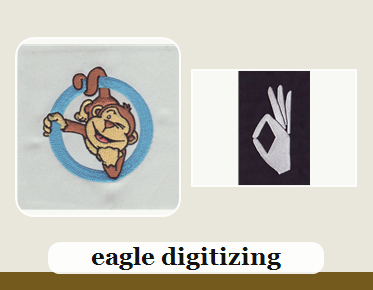

Best Vector File Setup for raster mascot art for brand consistency
The best setup is a clean manual rebuild, not a quick auto-trace: raster mascot art should be converted into a simple, editable, vector conversion that protects shapes, colors, and scale for consistent branding. If your art starts as a JPG or PNG, Upload Your Design now so weak edges do not turn into production issues.
For teams that decorate apparel, hats, and merch, the goal is not just a prettier file. It is a file that stays recognizable across embroidery, print, and repeat orders without changing the mascot’s face, outline, or personality.
Why Raster Mascot Art Breaks Brand Consistency
Raster art is pixel-based, so it can blur, stair-step, or shift when enlarged. That becomes a problem when the same mascot must appear on shirts, jackets, patches, and signage with the same proportions and color feel.
Start With a Manual Redraw, Not a Fast Auto-Trace
A fast vector tracing result often follows noisy pixels instead of clean shapes. A manual redraw gives you smoother curves, cleaner corners, and better control over every contour the brand needs to keep.
Keep Shapes Simple Enough for Production
Mascots with too much texture, shadow, or tiny detail usually create a vector problem later. Simplifying the art helps preserve the character while making the file easier to separate, edit, and reproduce across decoration methods.
Use a Clean Color Structure
Brand consistency depends on stable vector colors and clear logo separation. Keep fills intentional, avoid unnecessary gradients, and assign each color area a purpose so the mascot reads the same in every layout.
Prepare the Artwork as Print and Embroidery Friendly
A print ready vector should stay sharp at any size and still make sense for digitizing. Eagle Digitizing often reviews raster mascot art this way, because a clean file reduces cleanup time, improves production stability, and supports consistent brand presentation.
Respect Embroidery Limitations Early
Embroidery cannot hold every tiny pixel detail from a raster mascot. Small lettering, thin outlines, and soft shading may need simplification so stitch density, underlay, and pull compensation can work without distorting the artwork.
Protect Small Lettering and Fine Details
Little text inside mascot art is one of the first things to fail in production. If the logo font or slogan is too small, the file should be adjusted before digitizing so missing letters do not appear in the sew-out.
Build Smooth Paths and Clean Corners
Strong vector for branding work depends on smooth paths, logical node placement, and balanced corners. Clean paths help the artwork hold its identity when it is resized for left chest embroidery, full-front prints, or large merch graphics.
Match the File to the Fabric and Stitch Plan
What looks perfect on screen can shift on twill, fleece, caps, or performance fabric. The best setup lets the digitizer choose stitch direction, underlay, and pull compensation without fighting bad artwork geometry.
Do a File Check Before Production Starts
A careful file review catches gaps, broken lines, and awkward overlaps before they become embroidery errors. That is why a strong workflow includes cleanup, testing, and a final review before the production file is released.
Why Brand Teams Rely on Clean Vector Files
A dependable vector for logo use keeps the mascot consistent across uniforms, promotions, and reorders. When the art is built correctly, the same brand look can move from one product to the next with fewer revisions.
A Simple Workflow That Saves Time
Send the raster mascot art, confirm the target use, request any size details, and ask for file preparation guidance early. If the art needs cleanup, Quote Now or Contact Us before the job moves into embroidery or print production.
FAQ
What is the best format for raster mascot art?
AI, EPS, PDF, or SVG are the most practical vector formats. They keep the mascot editable, scalable, and easier to use across embroidery, print, and apparel branding.
Can I use auto-trace for mascot art?
You can, but it is usually not the best choice for brand consistency. Auto-trace often creates rough edges, extra points, and uneven curves that need cleanup before production.
Why does a clean vector file matter for embroidery?
A clean vector file helps the digitizer control stitch direction, underlay, stitch density, and pull compensation. That leads to better shape accuracy and a more consistent sew-out.
When your mascot art is built with production in mind, every application looks more intentional and easier to repeat. Eagle Digitizing helps brands turn raster artwork into cleaner files that support consistent embroidery results, so if you want a smoother path from artwork to decorated apparel, start your next project with a proper file review and Start Your Embroidery Project today.