
Best Practices for Converting Mascot Designs to Vector
The best way to convert mascot designs to vector is to rebuild the artwork with clean shapes, smooth curves, and consistent line weights so it scales for embroidery, print, and apparel branding without losing personality. For production use, the file should be cleaned, simplified, and prepared before digitizing or print setup begins. Strong vector artwork services help you start with the right base, and you can Upload Your Design or Get a Free Estimate when you need a production-ready file.
Start With the Strongest Source File
A mascot trace is only as good as the artwork you start with. High-resolution art, a clean sketch, or a sharp logo gives the best result, while screenshots and compressed files usually need more rebuild work to stay accurate.
Keep the Mascot’s Personality, Not the Noise
Good vector conversion preserves the face, pose, and key shapes that make the mascot recognizable. It does not preserve every texture, gradient, or rough pixel, especially when those details would create problems in production.
Use Manual Cleanup When Detail Matters
For sports mascots, animal logos, and textured characters, automatic tracing often leaves jagged curves or messy edges. That is why high-detail mascot vectorization usually needs a manual pass to smooth lines and separate usable shapes.
Match the Vector Style to the End Use
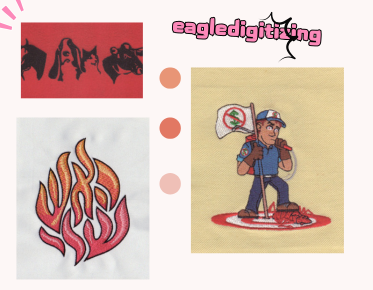
A mascot for a stitched cap should not be built the same way as a mascot for a banner or hoodie graphic. Print art can hold more detail, while embroidery-friendly art needs fewer tiny forms and stronger visual edges.
Clean Lines Make Production Easier
One of the most important rules in mascot conversion is consistency. Curves should flow cleanly, corners should be intentional, and overlapping objects should be organized so the file is easy to edit, separate, and reproduce.
Think Ahead to Raster Cleanup and Redraws
When a mascot starts as a low-resolution JPG or PNG, raster to vector conversion is more than tracing. It is a redraw process that fixes broken edges, removes blur, and turns the image into scalable artwork.
Prepare the Artwork for Embroidery Limits
Embroidery places real limits on fine detail, so the vector should support stitchable shapes before digitizing begins. Thin outlines, tiny spikes, and crowded features can become weak in thread, especially on smaller placements.
Respect Stitch Density and Thread Direction
Even a perfect mascot vector still needs production logic. Stitch density must stay balanced, thread direction should follow the form, and pull compensation may be needed so the final sew-out holds its shape on fabric.
Watch for Small Lettering and Tight Details
If a mascot includes a school name, slogan, or badge text, small lettering can disappear in embroidery. Many designs need simplified text, heavier strokes, or alternate versions for left chest, cap, and sleeve placements.
Choose the Right File Structure for Handoff
Strong handoff files include clean paths, outlined fonts, and organized layers that make production faster. A file prepared for a digitizer or production artist reduces revision cycles and helps the team move from approval to sew-out with fewer surprises.
Build for Fabric Compatibility Early
Mesh, twill, fleece, and performance wear all behave differently under thread tension. A mascot that looks great on paper may shift on stretch fabric, so the vector should support the final garment choice before production starts.
Use a Production Workflow, Not Just a Trace
A reliable vector conversion workflow starts with source review, then cleanup, then final export in the correct format. For embroidery, that usually means checking the art before digitizing, not after stitches are already mapped.
Test the Artwork Before Full Production
A sew-out test is the fastest way to catch problems like crowding, distortion, or weak detail. If the mascot fails on sample fabric, the vector can still be adjusted before the entire apparel order is produced.
When Professional Help Saves Time
If your mascot artwork is blurry, textured, or built from a screenshot, a professional redraw is often faster than trying to fix it piece by piece. Teams that need a reliable vector conversion for embroidery service usually get better results when the file is cleaned before stitch planning begins.
Why a Clean Vector File Improves Branding
Shirts, hats, and promo products all depend on artwork that stays sharp at every size. A clean vector artwork file protects the mascot’s identity, improves consistency across placements, and makes it easier to keep a brand looking polished.
How Eagle Digitizing Fits Into the Process
Eagle Digitizing helps clients prepare artwork for real production use, especially when mascot designs need cleanup before embroidery or print. When the source file is rough, low resolution, or too detailed for thread, a careful vector prep step lowers the risk of rework and uneven results.
FAQ
What is the biggest mistake when converting a mascot to vector?
The biggest mistake is keeping too much small detail. Mascots need clean shapes and controlled line work so the art stays readable at production size.
Should mascot vector art be different for embroidery and print?
Yes. Print can handle more detail, but embroidery needs simpler forms, stronger outlines, and fewer tiny elements to stitch well.
Do I need a sew-out test after vector conversion?
Yes. A sew-out test confirms the mascot holds its shape on the actual fabric and helps catch distortion before full production.
Converting mascot designs to vector is really about making the artwork usable, scalable, and safe for production, not just making it look cleaner on screen. When the file is built the right way, your brand image stays consistent across apparel, caps, and promotional items. If you need help turning a rough mascot into a production-ready file, Eagle Digitizing can help you move forward with confidence, so Upload Your Design and Start Your Embroidery Project with a cleaner path to better results.