
How Vector Quality Affects Print and Embroidery Results
Vector quality directly affects how sharp your print and embroidery will look because clean paths, smooth curves, and closed shapes create accurate separations, better stitch mapping, and fewer production problems. When artwork is messy, both print and embroidery can show uneven edges, broken details, and avoidable revisions. vector artwork services are often the fastest way to turn weak artwork into production-ready files. Upload Your Design and Quote Now if you want to reduce risk before the run starts.
Why Vector Quality Matters Before Production Starts
A strong vector file gives your decorator clean shapes to work from. That means fewer surprises in scaling, cleaner edge control, and more reliable output across apparel, caps, signs, and promotional products.
What Print Jobs Need from Vector Artwork
Print shops rely on smooth outlines, accurate color areas, and clear separations. Good vector graphics for printing help prevent jagged edges, fuzzy logos, and distorted details when artwork is enlarged for screen print, DTF, heat transfer, or packaging.
Why Embroidery Is Even Less Forgiving
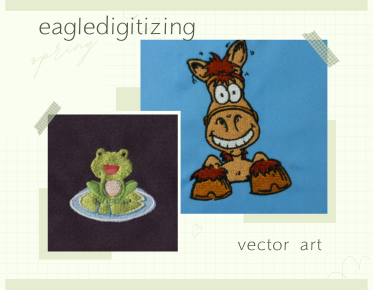
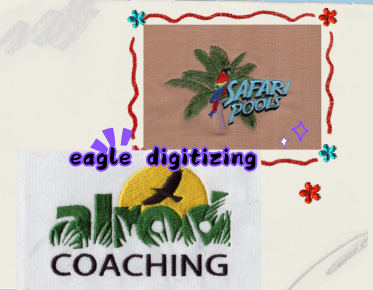
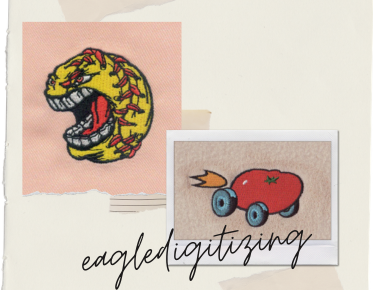
Embroidery converts artwork into stitches, so every curve, corner, and space matters. A vector logo for embroidery must be clean enough for stitch direction, underlay, pull compensation, and stitch density decisions. If paths are sloppy, the sew-out usually follows those flaws.
Common Problems Caused by Poor Vector Files
Low-quality artwork often creates thick outlines, open shapes, inconsistent angles, and small details that do not survive production. In embroidery, that can lead to broken text, crowded fills, and poor fabric compatibility. In print, it can create blurry edges and color shift.
How Clean Vector Art Improves Embroidery Results
Clean artwork helps digitizers place stitches where they belong, especially on left chest logos, hats, and small lettering. With better vector conversion for embroidery, the production file can respect satin width limits, reduce unnecessary trims, and keep the logo readable on the chosen fabric.
The File Preparation Workflow That Saves Time
Most production issues are solved before stitching or printing begins. The best workflow is simple: review the source file, remove noise, rebuild weak lines, confirm fonts, and prepare the art for output. Eagle Digitizing often supports this stage by cleaning artwork before it reaches production.
Why AI Helps, but Cleanup Still Matters
AI tools can speed up tracing, but they do not automatically understand stitch limits, print separations, or production tolerances. AI vector conversion is useful for speed, but manual review still matters when the artwork has gradients, low resolution, or uneven linework.
How to Improve Results for Apparel Branding
For uniforms, caps, and merch, the goal is not just a prettier file. It is a file that survives scaling, stitch simulation, and repeated production. If the logo is used across print and embroidery, ask for a production-ready version that can support both applications.
Small Lettering and Detail Limits
Vector quality cannot force embroidery to reproduce tiny text or fragile detail that the fabric cannot hold. Thin letters, micro lines, and tiny gaps may need simplification. Good preparation respects those limits early, which helps avoid unreadable branding and rejected sew-outs later.
When to Request Professional Cleanup
If your logo came from a screenshot, a compressed JPG, or a reused brand file, it may need repair before production. This is the right time to ask for a cleanup, redraw, or conversion so the artwork is truly ready for both print and stitch output. Get a Free Estimate before the file goes into production.
How to Know Your Art Is Ready
Ready artwork usually has smooth curves, clear edges, consistent stroke logic, and no accidental pixel noise. For embroidery, it should also be simple enough to digitize cleanly and strong enough to hold detail at the final size. For print, it should scale without soft edges.
What Customers Usually Want to Avoid
Most clients want to avoid extra revisions, missed deadlines, and a final product that looks different from the proof. The best way to prevent that is to submit clean source art, confirm the intended use, and let the file be prepared for the exact process before production begins.
FAQs
What does vector quality change in print and embroidery?
Vector quality changes edge sharpness, scalability, and production accuracy. Better vectors create cleaner print output and give digitizers a stronger base for embroidery stitch planning.
Can a blurry logo still be used for embroidery or printing?
Yes, but it usually needs cleanup first. A blurry logo often requires redraw, tracing, or vector repair so the final file is clear enough for production.
Why does embroidery need more file prep than print?
Embroidery depends on stitch direction, density, underlay, and fabric behavior. That means the artwork must be prepared with more production logic than a standard print file.
Great vector quality is not just a design preference; it is a production advantage that helps print and embroidery look closer to the brand you approved. If you want fewer problems, better stitch stability, and a cleaner result on apparel or promotional items, start with the file itself. Eagle Digitizing helps clients prepare artwork with real production value in mind, so you can start your embroidery project with more confidence and less rework. Contact Us when you are ready to move from rough art to dependable results.