.png "vector art service")

How to convert a photo into an embroidery pattern?
Converting a photo into an embroidery pattern is a fascinating and intricate process that combines artistry with technology. It offers a unique way to transform personal memories into something tangible and decorative. This step-by-step guide will help you understand the process of converting a photo into an embroidery pattern, ensuring that your designs are both beautiful and functional.
Understanding the Basics of Embroidery Digitization
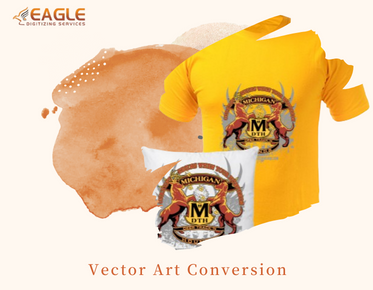
Embroidery digitization is the process of converting artwork into a digital file that embroidery machines can read. This file guides the machine's needle in stitching the design onto fabric. The initial step in this process involves vectorizing the image. Vectorization converts the image into lines and curves that can be easily understood by an embroidery machine. With vector art services, the details of the photo are meticulously translated into stitchable lines.
Step-by-Step Guide to Photo Conversion
Step 1: Choosing and Preparing Your Photo
Select an image with clear details and contrasts to ensure that the embroidery captures the essence of the photo. Editing may be necessary to adjust brightness and contrast, making the image more suitable for vector conversion. Some professional services, such as Eagle Digitizing, offer image retouching to enhance image details before conversion.
Step 2: Vectorizing the Image
The next step is converting the photo into a vector format. Using tools such as Adobe Illustrator or Corel Draw, you can trace the image, turning it into lines and shapes suitable for embroidery. For those who prefer a professional touch, hiring a service that specializes in vector conversion services can be advantageous. Vector services assure precision and attention to detail, capturing the complexity of your design seamlessly.
Step 3: Selecting the Right Embroidery Software
With the vector file ready, import it into embroidery software. There are several software options available, such as Wilcom or Hatch, designed to convert vector images into embroidery files. These programs allow you to assign stitch types and adjust settings to match your fabric and machine requirements.
Step 4: Applying Stitch Types and Adjustments
Once in the embroidery software, you will need to assign appropriate stitch types to different parts of your design. This includes simple running stitches for outlines, fill stitches for larger areas, and satin stitches for outlining text or shapes. Adjust stitch density and direction to ensure the final product looks polished.
Step 5: Experimenting with Colors
Experiment with thread colors to see which combinations best replicate the photo's original hues. This process often involves selecting colors that not only match but also complement the fabric used for final embroidery.
Step 6: Test Stitching
Before finalizing your design, it is crucial to conduct a test stitch on a small piece of fabric. This helps you assess how the design will appear when embroidered and make any necessary adjustments to stitch type, direction, or density.
Finalizing Your Embroidery Design
After making any needed adjustments based on your test stitching, your design is ready for final production. Ensure that your embroidery machine is set up correctly according to the fabric and thread types for the best result. Many companies, like Eagle Digitizing, offer comprehensive services that include test stitching to refine embroidery designs before bulk production.
Exploring Advanced Techniques
As you gain more experience, consider exploring advanced embroidery techniques such as 3D puff embroidery or applique, adding depth and dimension to your designs. Innovations in embroidery technology are continually advancing, offering new opportunities for creative expression in embroidery.
Transforming a photo into an embroidery pattern is both an art and a science, balancing creative expression with technical precision. Whether you're creating custom designs for personal use or for commercial purposes, understanding the fundamentals of embroidery digitization will ensure stunning and professional results.
As technology advances, what future trends do you think will emerge in embroidery digitization and vector conversion? How might these influence design possibilities in the embroidery industry?