.png "vector art service")

How to Convert a Stock Image into an AI or EPS Vector File
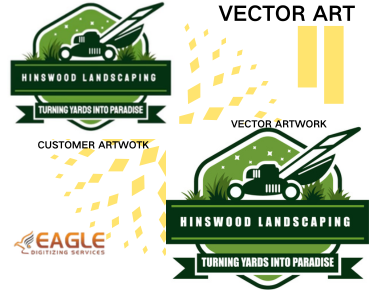
Converting a stock image into a vector file format like AI (Adobe Illustrator) or EPS (Encapsulated PostScript) is an essential skill for designers and illustrators working with scalable graphics. Vector art is crucial in ensuring that image quality remains sharp and clear at any size, making it suitable for large format printing, digital graphics, and more. This process is known as vectorization, wherein pixel-based images (rasters) like JPEG or PNGs are converted into vector formats.
Understanding Vector and Raster Images
Before diving into the conversion process, it's important to understand the difference between raster and vector images. Raster images, such as JPEGs or PNGs, are composed of pixels arranged in a grid. These images often lose quality when resized because the pixels become more apparent, leading to a pixelated look. In contrast, vector images are made up of paths defined by mathematical equations, which means they can be resized without any loss in quality.
Tools Required for Conversion
Converting a stock image to an AI or EPS file typically requires the use of specialized software. The most common tools for this task are:
- Adobe Illustrator: A powerful tool for creating vector graphics, Adobe Illustrator offers comprehensive features for tracing raster images into vectors.
- CorelDRAW: Another versatile tool for graphic design that supports vectorization.
- Inkscape: An open-source vector graphics editor that is available for free and supports automatic tracing of images.
Step-by-Step Guide to Convert Images
Step 1: Choosing the Right Image
Not all images are suitable for vectorization. High-contrast images with clear edges and distinct sections often produce the best vector results. Avoid images with gradients and subtle color gradations, as these can be difficult to convert accurately.
Step 2: Importing into Software
Import the chosen image into your vector software. In Adobe Illustrator, go to File > Open and select your image to open it in the software.
Step 3: Using the Image Trace Feature
Most vector software has a feature to automatically trace the image. In Illustrator, select the image and navigate to Window > Image Trace. Here, you will have different options to adjust how the tracing is applied. The raster to vector conversion service can assist in optimizing these settings.
Step 4: Fine-tuning the Vectors
Once the image is traced, you may need to adjust specific elements to refine the vector paths. Use the direct selection tool to adjust anchor points and curves for a more polished finish. This is where vector art services online can come in handy to ensure high-quality results.
Step 5: Saving as AI or EPS
Once the adjustments are made, you can save the vector image as an AI or EPS file. In Illustrator, go to File > Save As and choose the desired format. For businesses, this process can be expedited by using a vector conversion service.
Why Choose Professional Services?
While converting images to vector formats can be done manually, it is often labor-intensive and requires a keen eye for detail. That's why many prefer using professional vector services for seamless results. Companies like Eagle Digitizing specialize in vector art conversion services, offering a wide range of services including raster to vector conversion, vector tracing, background removal, and color correction. They leverage the expertise of skilled digitizers to deliver high-quality vector graphics tailored to business needs.
Applications and Benefits
Vector images are versatile, serving numerous applications across industries. From promotional materials to apparel printing, the use of vectors ensures high fidelity in visual reproduction. They are particularly beneficial for custom branding tasks, like logo design, where scalability and clarity are paramount.
Additionally, leveraging vectorizing services helps businesses maintain a consistent visual identity across various platforms and printing mediums. This capability is crucial in a competitive market where precision in presentation can influence brand perception.
For those in small to mid-sized businesses, adopting vectorization can greatly enhance production efficiency and product quality. Whether it's for professional print shops or custom t-shirt businesses, the benefits of vector images are undeniable.
Looking Forward
As technology and design software continue to evolve, the processes for converting raster images to vector formats will become increasingly automated and refined. This evolution will likely make vectorization more accessible and further integrate it into everyday design practices. Future developments might even bring new vector formats and enhanced capabilities for existing software, broadening the scope of what can be achieved with vector graphics.