
How to Edit a Vector Image Without Losing Quality?
Vector images have become essential in the world of digital art, design, and publishing. Unlike raster images, which consist of pixels, vector graphics are based on geometric shapes such as lines and curves defined by mathematical expressions. This structure allows vector images to be scaled indefinitely without losing quality, making them ideal for logos, products, and web graphics. However, editing vector images requires careful consideration to maintain their original clarity and quality. In this comprehensive guide, we'll explore how to effectively edit vector images without compromising quality.
The Importance of Vector Editing Software
To begin editing a vector image, you'll need a software program specifically designed for handling vector graphics. Popular tools include Adobe Illustrator, CorelDRAW, and Inkscape. These software options provide advanced tools for creating, editing, and manipulating vector images. They allow users to perform operations like changing colors, adjusting shapes, and embedding text without deteriorating the image's quality. Utilizing the right software ensures that you can take full advantage of vector graphics capabilities.
Maintaining Vector Quality
The primary advantage of vector images is their scalability. To maintain this attribute, every modification must be approached with an understanding of how vectors work internally. When editing vector graphics, it's crucial to save your work in a vector file format like AI, SVG, or EPS. These formats preserve the mathematical data that compose the image, whereas converting to a raster format could result in pixelation and loss of detail.
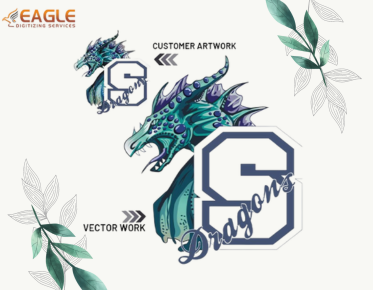
Another key aspect of editing vector images is vector art conversion, which involves transforming traditional raster images into vector format. This process, carried out with precision by professionals, ensures a clean, scalable outcome fit for various applications【4:5†source】.
Optimizing Your Vector Edits
Use Layers for Organization
One of the powerful features of vector editing software is the ability to work with layers. By organizing components of your vector image into separate layers, you make the editing process more manageable and efficient. Layers allow you to isolate specific parts of the image for focused adjustments, preventing unintended alterations to other elements.
Practice Precision with Path Adjustments
Vectors are defined by paths, which include points, lines, and curves. Precise path adjustment is crucial for maintaining the integrity of the original design. When adding or modifying paths, use anchor points sparingly and edit them carefully. This technique maintains smooth transitions and keeps the image looking professional and polished.
Applying Advanced Techniques
Advanced vector editing techniques like vector tracing and image vectorization allow for a conversion from raster to vector formats【4:6†source】. These techniques are invaluable when needing to upscale a raster image while keeping the crisp and clear benefits of vector graphics.
When dealing with color changes or adjustments, apply vector color separation. This feature allows individual colors within an image to be edited separately, preserving the overall look and feel while making the necessary tone adjustments. Such refined editing requires experience and often demands a professional service, like those offered by Eagle Digitizing. Their team makes use of the latest techniques to ensure each project is handled with the utmost care and precision.
Consider Professional Raster to Vector Conversion Services
Sometimes maintaining vector quality or converting other formats into vectors can become complex and time-intensive. In such cases, professional assistance from services such as vector conversion services might be the best course of action【4:5†source】. Professional vectorization services guarantee that the conversion is carried out without error, providing high-quality, precise vector files for any application.
Exploring Future Trends in Vector Editing
As technology continues to advance, so does the future of vector editing and graphic design. The advent of artificial intelligence and machine learning is beginning to play a role in graphic software, potentially offering automated enhancements and corrections to vector files. Future developments could see an integration of more intuitive design features, making vector editing even more accessible and powerful for designers worldwide.
Thus, the growth in vector editing technologies promises to transform how we handle vector images, helping creatives innovate and express their visions more effectively. The potential of these advancements opens a world of opportunities for both novice and experienced digital artists.