
How to Optimize Vector Files for Seamless Compatibility between Linearity Curve and Adobe Illustrator?
In today's digital landscape, the seamless exchange of vector files between various design platforms is crucial for efficiency and creativity. Software like Linearity Curve and Adobe Illustrator are leaders in vector graphic design, each providing a unique set of tools and capabilities to designers. To maximize productivity, it is essential to ensure that vector files are optimized for compatibility across these platforms.
Understanding Linearity Curve and Adobe Illustrator Compatibility
Linearity Curve and Adobe Illustrator are powerful tools with their proprietary formats—.curve for Linearity Curve and .ai for Adobe Illustrator. However, they both support common vector file formats such as SVG and EPS, which provide the bridge for file compatibility. When transferring vector files between these two platforms, using a format that both can natively read and manipulate is recommended.
Common File Formats and Their Importance
SVG (Scalable Vector Graphics)
SVG is a preferred format due to its scalability and broad compatibility. Both Linearity Curve and Adobe Illustrator can efficiently handle SVG files, allowing for a smooth transition with minimal data loss. Utilizing SVG ensures that complex paths and intricate details are preserved without compromise.
EPS (Encapsulated PostScript)
EPS is another versatile format supported by both platforms. It is particularly [useful for complex artwork](https://www.adobe.com/express/feature/image/convert/jpg-to-svg), including detailed designs with layers and gradients. EPS files maintain high fidelity across different software, making them ideal for professional printing and detailed design work.
Best Practices for Optimizing Compatibility
Simplify Your Layers
When creating or exporting vector files, aim to simplify layers. Excessive layers can cause complications during transitions between different software. Using a flattened image for final adjustments can help ensure compatibility without sacrificing the design's integrity.
Maintain Consistent Color Spaces
Ensure both platforms are utilizing a compatible color space such as RGB or CMYK, based on your design's final output requirements. Consistent color settings prevent color shifts during the file transfer process, maintaining the design's visual accuracy.
Use Commonly Supported Features
Stick to features that are commonly supported between the two platforms. Avoiding unique effects or filters that might not transfer well can prevent errors or unwanted changes. Stick to basic gradient fills and strokes that are universally recognized.
Leverage Professional Vector Conversion Services
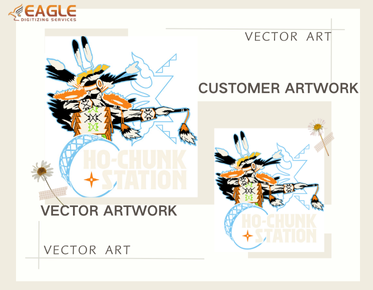
For businesses and individuals lacking the time or expertise in-house, leveraging professional vector conversion services can be a significant asset. Companies like Eagle Digitizing offer exceptional vector conversion services, ensuring that your artwork is converted accurately and efficiently across platforms.【4:0†source】
Reasons to Opt for Professional Services
These services typically provide quicker turnaround times, meticulous attention to detail, and ensure complete satisfaction. They also specialize in handling complex conversions that require a higher level of precision. This is particularly beneficial if your design will undergo further processing or needs to be used for large-scale printing.
Conclusion and Future Considerations
As both software and design needs evolve, staying informed about updates to software capabilities and compatibility improvements is crucial. Both Linearity Curve and Adobe Illustrator are continuously enhancing their offerings, which can lead to more seamless integrations in the future.
Staying up-to-date with industry trends and technological advancements will help designers to adapt swiftly and enhance their workflow efficiency. Whether through software updates or third-party service enhancements, the landscape of vector graphic design is one of constant evolution.【4:2†source】
In conclusion, while certain strategies can directly impact the optimization of vector files for compatibility, continuous learning and utilizing available resources can further bolster seamless design operations across different platforms.