.png "vector art service")

How to Create Vector Files Compatible with Multiple Design Software
Creating vector files that are compatible with a range of design software is an essential skill for graphic designers, illustrators, and businesses. The digital age demands versatility and adaptability in file formats to ensure seamless integration across different platforms and software. Herein, we will explore the key strategies and considerations required to achieve this compatibility.
Understanding Vector Files
Vector files are images created from paths defined by mathematical equations, which differentiates them from raster images that consist of pixels. This makes vector files scalable without loss of quality, ideal for logos, illustrations, and graphics. The most common vector file formats include SVG, AI, EPS, PDF, and CDR, each supported by different design software like Adobe Illustrator and CorelDRAW.
Choosing the Right Software
When planning to create vector files, it's crucial to use software that not only suits your design requirements but also ensures compatibility with other platforms. Adobe Illustrator remains the industry standard, supporting a wide array of file formats like AI, PDF, and SVG, which are widely accepted across different systems. Yet, alternatives such as Inkscape or CorelDRAW may provide added features or cost benefits while still supporting essential vector formats.
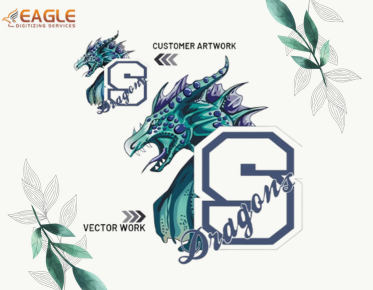
Vector art services online can assist in this conversion process by providing specialized tools to transform raster images into versatile vector files capable of being utilized in software like Corel Draw and others【4:0†source】.
Creating and Exporting Versatile Vector Files
To ensure your vector files are usable across multiple software platforms:
- Use Standard Formats: Stick to widely recognized formats such as SVG, which is highly compatible with web-based platforms, or PDF for general use in print and digital applications.
- Save Different Versions: Export your design in multiple formats — AI, EPS, PDF, and SVG — to accommodate different end-user needs.
- Test Compatibility: Open the exported files in different software to ensure integrity. Consider using vector conversion services to test and validate these files across various systems .
Using a reliable vector service company can greatly enhance the compatibility and correctness of your vector files. These companies often offer features like vector tracing and conversion that can streamline your workflow and guarantee file integrity across various platforms.
Incorporating Advanced Techniques
Advanced techniques such as vector tracing can convert intricate raster designs into clean, editable paths suitable for any software. This process is crucial when working with hand-drawn sketches or complex images. Additionally, employing services that offer image to vector conversion can provide comprehensive solutions for converting and editing these files to ensure they meet professional standards【4:0†source】.
Engaging Eagle Digitizing Services
Eagle Digitizing offers an array of vector services that cater to various industry needs, providing expertise in converting designs into scalable vector formats. Their services include raster to vector conversion, vector tracing, and vector logo design. These offerings make them an ideal partner for ensuring your files are created and optimized for use across different software and platforms【4:0†source】.
Looking Ahead: The Future of Vector File Compatibility
As technology advances, the demand for even greater compatibility and streamlined file formats will continue to shape the landscape of digital design. With ongoing developments in AI-driven design tools and cloud-based software solutions, the future promises more integrated and user-friendly experiences across all platforms. As designers, staying informed and utilizing comprehensive vector art services online will be key to adapting to these changes and maintaining the versatility and accessibility of your creative work【4:0†source】.
In conclusion, understanding and implementing the techniques outlined in this guide will put you on the path to creating vector files that are not only high-quality but also fully adaptable for various uses across numerous design software.